Written by the Bluedot team. We make a competing note taker, so we tested Fireflies AI ourselves and checked every fact against Fireflies’ own pricing page and help center, or against independent sources we link to. Last checked: October 30, 2026.
Fireflies began as a meeting notetaker. In 2026, it sells itself as an “AI Teammate” that also handles email, Slack, CRM updates, and live calls.
More features mean more plan tiers, credits, and settings to work through before you know what you’re paying for. This Fireflies AI review cuts through that, checking Fireflies’ plans, limits, security, and features against its own pages.
Fireflies.ai in 30 Seconds
- Best for: sales, customer success, and recruiting teams that want call analytics and meeting notes sent straight to their CRM.
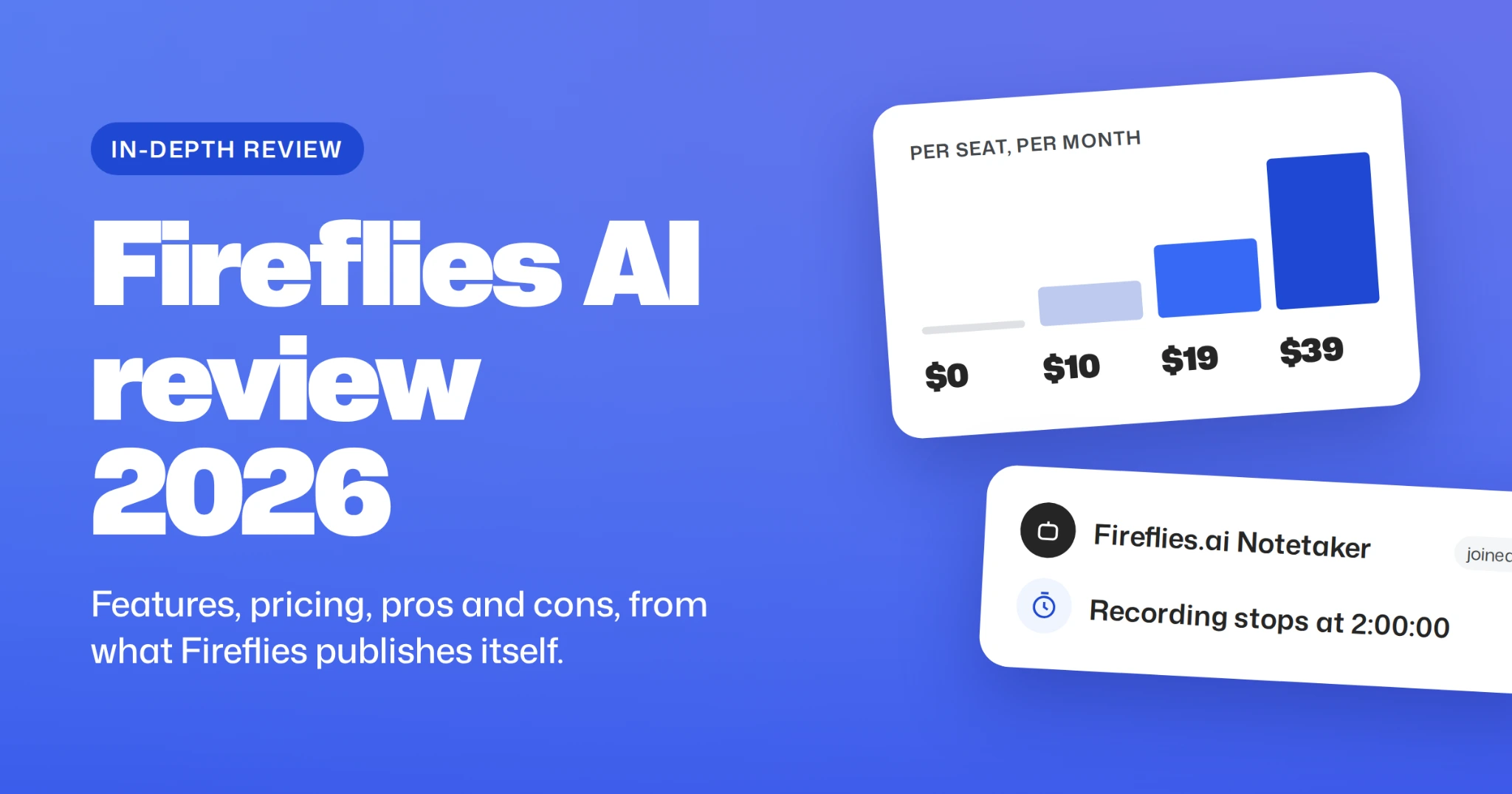
- Price: a limited free plan; paid plans cost $10, $19, or $39 per seat per month, billed annually.
- Good to know: recordings stop at 2 hours on Free and Pro subscriptions, most AI features use one-time AI credits, and the bot joins every calendar meeting with a video link unless you change the default.
- Consider one of the other best AI note takers if: you want notes without a bot in your meetings, or you need HIPAA or SSO on a small team (both are Enterprise only).
What Is the Fireflies AI Notetaker and How Does It Work?
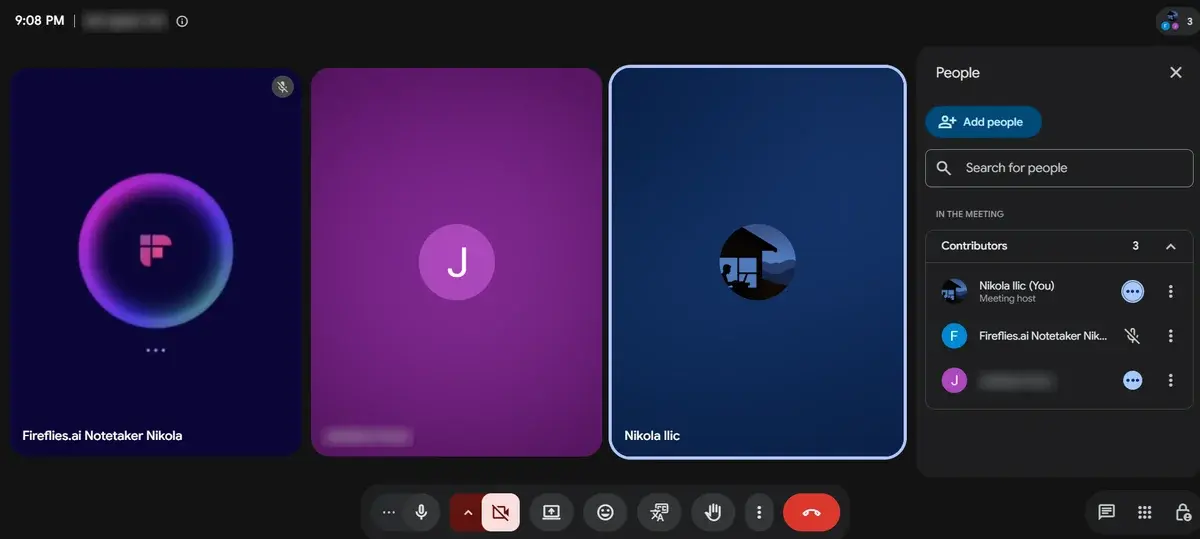
At its core, Fireflies is Fred, an AI meeting assistant that joins your calls as a bot and takes notes. A growing set of tools now surrounds Fred. The easiest way to understand them is by when they help: before, during, or after a meeting.
Most tools that act for you, such as AI Skills and Voice Agents, require a paid plan. Fireflies Talk, a dictation tool that works in any app, sits outside meetings and is free and unlimited on every plan. Fireflies’ newest addition, Daily Brief, rolls priorities from your meetings, email, and Slack into one morning briefing.
Key Fireflies AI Features in 2026
Recording: With a Bot or Without
Your first choice with Fireflies is whether Fred appears in your calls. Your answer decides which of its five recording methods you can use.
By default, the Fireflies bot joins every calendar event that has a web conference link. To choose which meetings get recorded, change the setting to “only when I invite fred@fireflies.ai.”
Google Meet calls add three conditions. The bot works with Workspace accounts only, the host has to let it in, and Meet may label it a “potential risk” in the waiting room.
Some organizations block the bot entirely. The University of Wisconsin–Madison blocks fireflies.ai from joining university-hosted Zoom meetings, and the University of Waterloo doesn’t allow third-party meeting bots, including Fireflies.
Fireflies Transcription Accuracy and Languages
Fireflies detects the spoken language automatically. It claims 99% transcription accuracy across accents and environments. If speakers switch languages within one call, you need Multi-language Mode, a Business feature.
AI Summaries, AskFred, and AI Skills
Paid plans get unlimited AI summaries with topics, decisions, and action items; the Free plan gets a limited number.
Most AI features beyond summaries spend AI credits, including AskFred, AI Skills, Personal Assistant, Voice Agents, and Autofill CRM. Each plan includes a one-time allowance: 20 credits for Free and Pro, 30 for Business, and 50 for Enterprise. When paid users run out, Fireflies automatically adds 50 credits for $5 a month unless you pause it.
AskFred charges each question by complexity, so a quick lookup costs less than a long report. AI Skills are templates such as BANT qualification, Interview Screener, and Customer Satisfaction Scorecard, and in the desktop app you can run them mid-call by typing /.
Conversation Intelligence and Sales Features
The Pro subscription shows conversation analytics such as talk time, words per minute, and sentiment for your own calls. The Business tier gives the whole team the same analytics and adds Deal Intelligence, which pulls deal signals and coaching metrics from sales calls.
Since July 2026, the Business plan also includes Autofill CRM, which drafts HubSpot or Salesforce updates from your calls for you to review, and Sales Assist, which surfaces answers to customer questions during live sales calls.
Fireflies Integrations, Mobile Apps, and API
Teams can clip soundbites, comment on and bookmark moments in a transcript, and auto-share recaps with user groups. Fireflies connects to 100+ tools, including Salesforce, HubSpot, Slack, Notion, Asana, Jira, Greenhouse, and Lever.
Free accounts get a limited set of integrations; paid plans get all of them. Every plan, including Free, comes with iOS and Android apps and API access.
Fireflies AI Pricing 2026: Plans and Real Costs
Fireflies pricing is per seat, and every workspace member counts as one. The Free plan has no time limit. Paying annually saves up to 44% compared with monthly billing, so the clearest way to see the cost is to look at what your team would pay in a year.
What’s Included in Each Fireflies Plan
- Free plan: transcription, limited AI summaries, 20 one-time AI credits, and the desktop, mobile, and Chrome apps.
- Pro subscription: unlimited AI summaries, video recording and downloads, AI Skills, Personal Assistant, Email Assistant, and Voice Agents, with 20 one-time AI credits.
- Business subscription: team-wide analytics, Deal Intelligence, Autofill CRM, Sales Assist, and Multi-language Mode, with 30 one-time AI credits.
- Enterprise subscription: SSO, SCIM, HIPAA, FERPA, Private Storage, 1080p video (other paid plans record in 720p), 50 one-time AI credits, and a dedicated account manager. Paid by invoice, with volume discounts from 50 seats.
Fireflies Recording Limits and Storage Caps
Two caps shape daily use more than any feature list: how long one meeting can run, and how much you can store.
When Free storage fills, you have to delete old meetings before you can view new ones. On the Pro plan, each seat adds 8,000 minutes to one shared team pool.
When to Upgrade Your Fireflies Plan
- Go from Free to Pro: you hit the 400-minute cap, run out of free summaries, or need to download a transcript.
- Go from Pro to Business: meetings regularly run past 2 hours, or sales managers need analytics for the whole team.
- Go from Business to Enterprise: IT requires SSO and SCIM, or legal requires HIPAA or EU data storage.
You can downgrade at any time, and past meetings stay visible in your account.
Is Fireflies AI Safe? Security, Privacy, and Consent
Fireflies covers the security basics on every plan: SOC 2 Type II, ISO/IEC 42001, and GDPR. The Enterprise plan lets you control where your data is stored and how long it’s kept. Follow one meeting through the system to see what that means.
Fireflies staff can’t open your meeting content unless you grant permission, for example, in a support case.
Check your sharing settings on day one. Out of the box, Fireflies emails the recap to everyone on the invite, including external guests, and anyone with the recap link can open the full meeting. For recurring meetings, it also emails every participant a prep note an hour before. You can narrow all three in Settings.
Consent is a common weak spot for notetakers. In a July 2026 survey of 500 US workers commissioned by the law firm Kolmogorov Law, one in three said an AI notetaker had been in their work meetings, and about two-thirds of those said they weren’t always asked for permission first.
Meeting guests: an optional setting, off by default, emails participants an hour before the call, asks for consent, and includes an opt-out link. If anyone opts out, Fred won’t join that meeting. The desktop app shows an on-screen indicator while it records.
Fireflies AI Review: Pros and Cons in 2026
Fireflies’ biggest pros are flexible recording with or without a bot, a free plan with desktop, mobile, and Chrome apps, support for 100+ languages, and strong security certifications. Its cons fall into two groups: limits built into the pricing plans, and problems users report after signing up.
Fireflies AI Pros and Cons by Feature
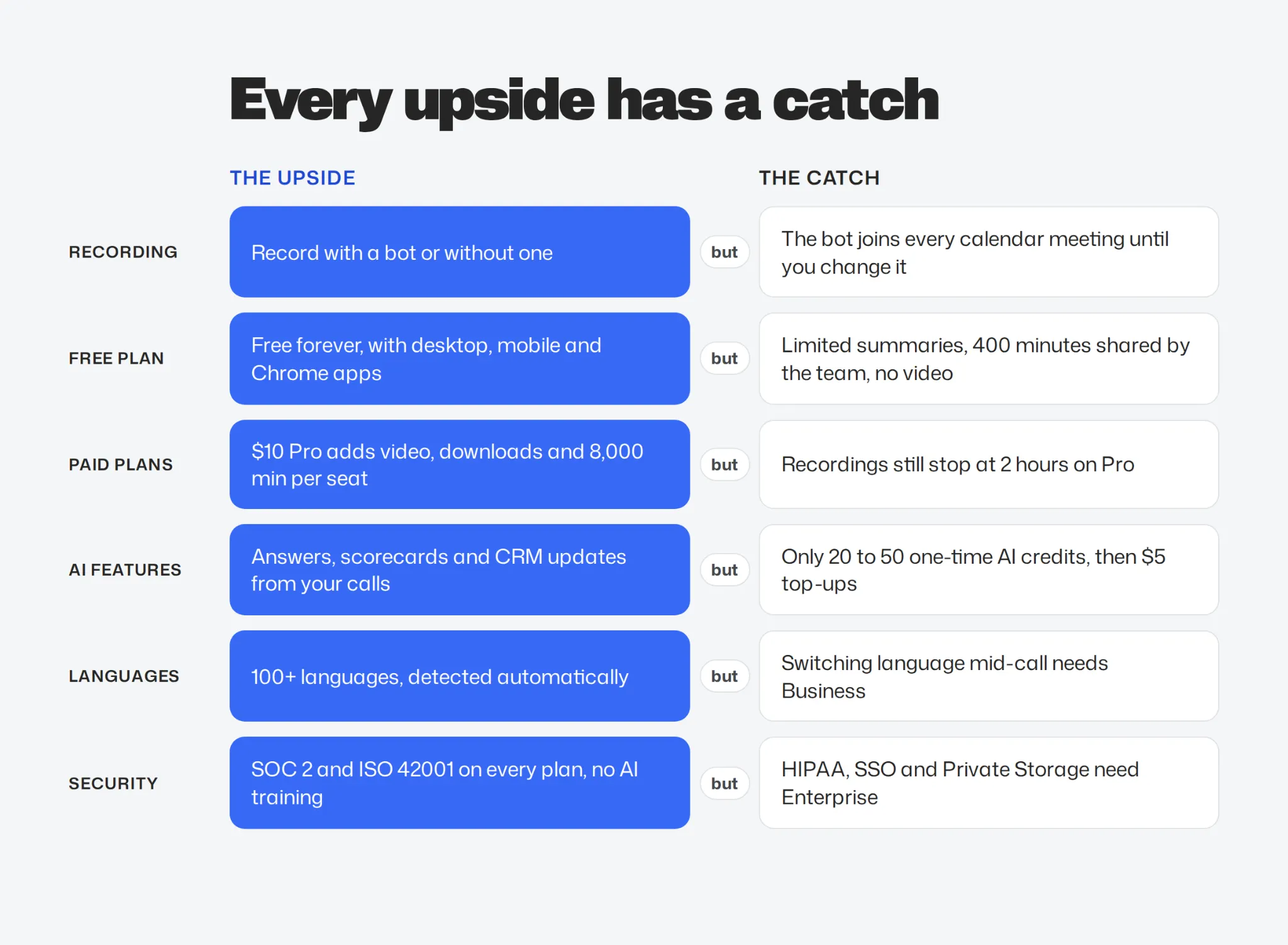
Almost every strength comes with a condition attached. Read each pair side by side.
Fireflies AI Reviews: Common User Complaints
The graphic above comes from Fireflies’ pricing page. The table below comes from people who used Fireflies and wrote about it on Trustpilot and Reddit.
If you choose Fireflies anyway:
- Set a reminder before the trial ends.
- Check the Billing page in Settings for add-ons you didn’t turn on.
- Turn off auto-join before you connect your calendar.
Who Should Use Fireflies AI?
Fireflies fits best when meetings feed a sales or hiring process. It fits worst when you handle regulated data on a small team, or when you simply want notes. Answer four questions to find your starting point.
Bluedot: The Best Fireflies Alternative Without the Trade-Offs
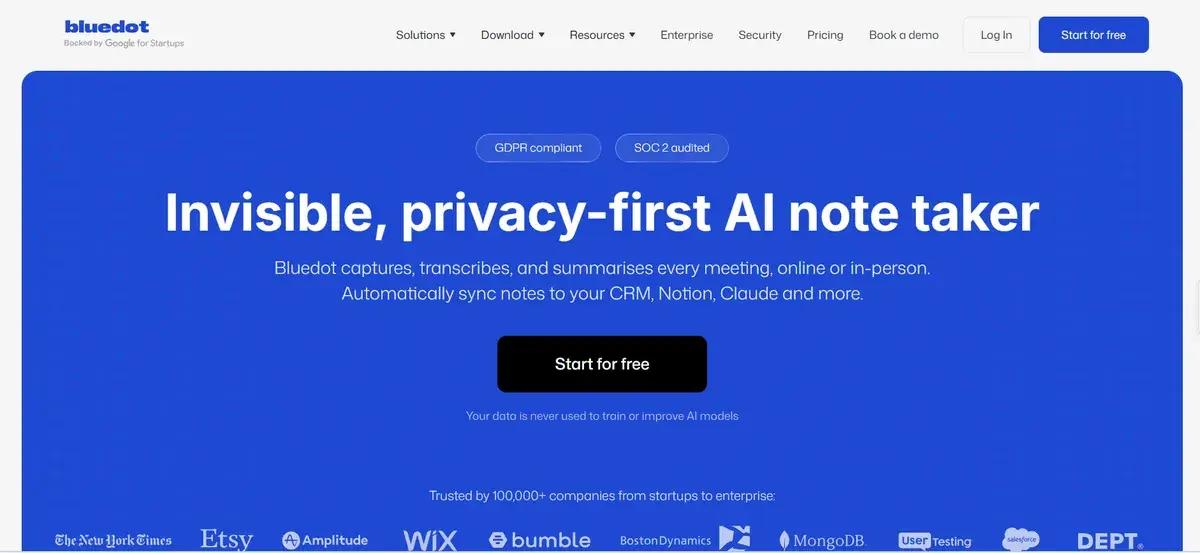
Fireflies is a good fit for sales teams that want analytics across hundreds of calls. For most other people, two things get in the way. The bot joins your calls by default. And when you record without the bot, you get a transcript but no recording to play back.
Bluedot works differently from the first minute of the call. Step through one client call to see how, or read the full Bluedot vs Fireflies comparison.
Bluedot records Zoom, Google Meet, Teams, and Slack huddles without a bot, so nobody sees an extra name in the participant list. If you want everyone to know the call is being recorded, Bluedot can post a message in the meeting chat, or you can add Bluedot’s bot to the call.
You keep the full recording, in video and audio or audio only. Click any line in your notes to jump to that moment in the video, which is useful when you need to check exactly what a client agreed to.
Bluedot works on Mac, Windows, iPhone, Android, Apple Watch, and in Chrome. You can record in-person meetings on your phone, even without an internet connection.
After each call, your notes sync to HubSpot, Salesforce, Notion, Slack, or Claude.
Bluedot is GDPR compliant and SOC 2 audited, and your conversations are never used to train AI models.
Still comparing? See how Fireflies stacks up against seven other notetakers in our guide to Fireflies alternatives.
Try Bluedot free on your next call. No bot in the participant list. Set up in under a minute.
Fireflies AI: Frequently Asked Questions
Is Fireflies AI free?
Yes, with limits. The Free plan has no time limit, but AI summaries are limited, AI features share 20 one-time AI credits, and storage is capped at 400 minutes shared across the team.
How much does Fireflies AI cost?
On annual billing, Pro is $10, Business is $19, and Enterprise is $39 per seat per month. Monthly billing costs $18 for Pro and $29 for Business; Enterprise is annual only.
How do I stop Fireflies from joining my meetings?
Open Settings and either turn off auto-join (auto-record) or set it to “Only when I invite fred@fireflies.ai.” For more control, add Restriction Rules under Settings > Recording & Privacy to skip meetings by title keywords, email addresses, or domains. These rules apply even when auto-join is on. You can also remove the Fireflies note taker from a call at any time.
Will other participants know Fireflies is recording?
Yes. By default, the bot appears in the participant list as “Fireflies.ai Notetaker,” and the desktop app shows an indicator while it records. You can also send guests a consent email before the meeting.
Can Fireflies record a meeting I don’t attend?
Yes, as long as fred@fireflies.ai is invited and the meeting platform lets guest bots join.
Is Fireflies GDPR compliant?
Fireflies says it is. EU teams should know that data is processed in the US, even when Enterprise Private Storage keeps it in the EU.
Does Fireflies have a mobile app?
Yes. Fireflies offers iOS and Android apps on every plan, including Free, along with its desktop app and Chrome extension.
Do Fireflies AI credits renew every month?
No. Each plan includes a one-time allowance: 20 credits on Free and Pro, 30 on Business, and 50 on Enterprise. When paid users run out, Fireflies automatically adds 50 credits for $5 a month unless you pause it in Settings.