
Transcribe Audio to Text
Convert voice recordings into text automatically with AI.



Bluedot converts speech to text with AI in 100+ languages


Transcribe audio into text in 3 easy steps:


Simple & Accurate Audio to Text Converter
Bluedot’s audio transcription service automatically converts audio to text for you online. Simply upload your audio files — from your computer, mobile device, Zoom, or Google Drive - and our app does the rest.
Our AI tool can convert your audio to text in over 100 languages, including English, Spanish, French, German, Italian, Japanese, Korean, Portuguese, Swedish, Turkish, Dutch, Hindi, Indonesian, and Mandarin.
And don’t worry - Bluedot easily handles fast speech and regional accents. You get clean text from any recording, and you can download it right away.
Get audio transcripts in any format
Upload your recordings as MP4, MP3, or M4A files, and download your transcript in PDF and TXT - or simply copy it in one click to DOCX or wherever you want.


Transcribe audio to text in 100+ languages
Our converter can automatically transcribe your audio files in over 100 languages, including English, Japanese, German, Dutch, French, Italian, and Portuguese.
Get automatic notes and summaries
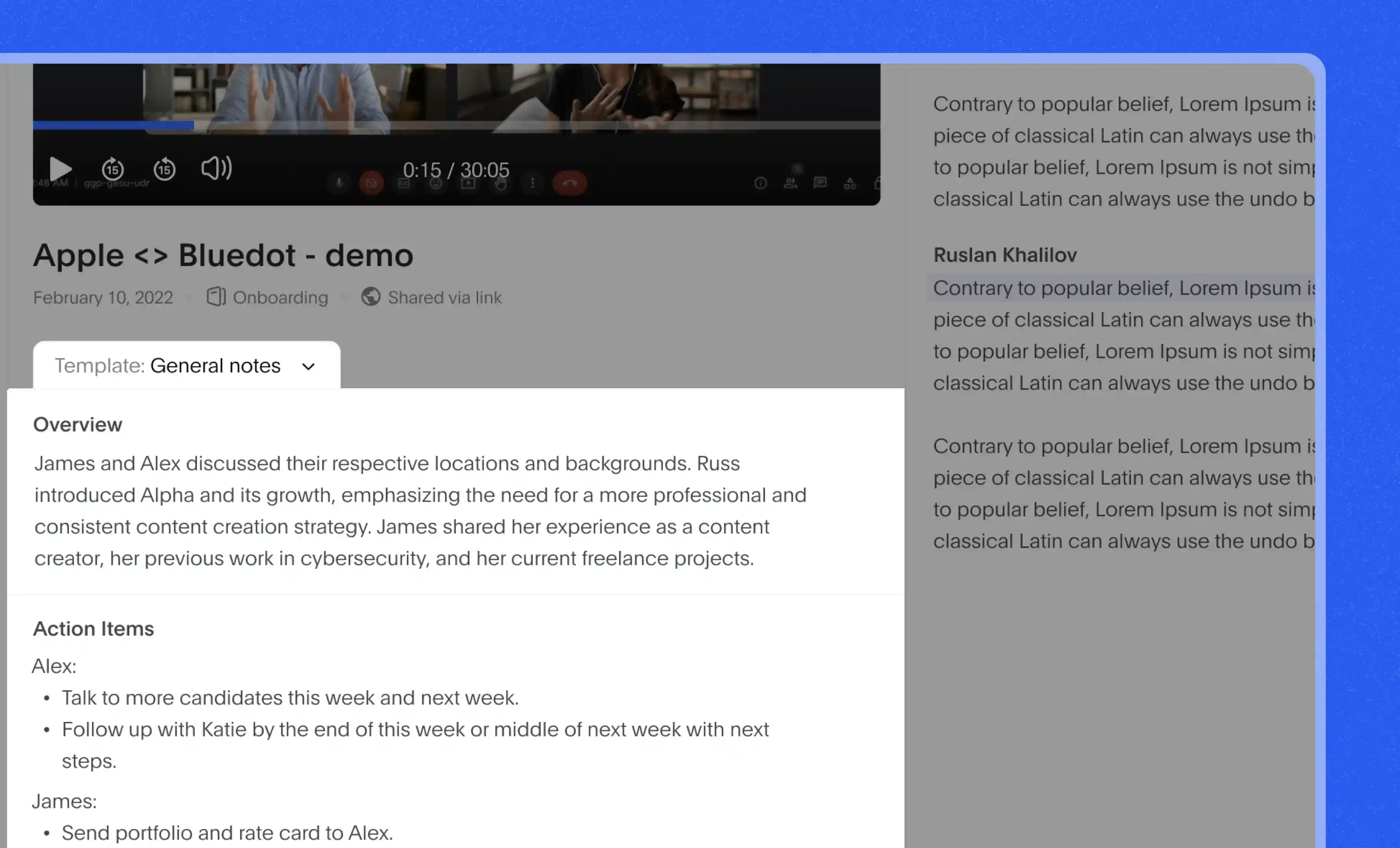
Based on the transcription, our program can automatically generate detailed notes — quickly extracting the key points from any team meeting, sales call, or lecture. These notes are timestamped and easy to edit.

Record meetings discreetly
Bluedot supports bot-free video and audio recording via browser, as well as iOS, macOS, Android, and Windows apps. Discreetly record virtual and in-person meetings and get an accurate transcript in seconds.
Analyze meetings automatically
Use Bluedot to spot patterns and trends in your meetings. Our AI software automatically highlights key moments and general themes from each recording. You get a visual report with talking speed, number of questions, and monologue length - for each speaker.

FAQs
How do I transcribe audio to text?
Can I transcribe audio for free?
Which audio formats does Bluedot support?
Can I edit and download transcripts from Bluedot?
Does Bluedot use my data to train its AI?
How long does a transcript take?
Can I edit a transcript in Bluedot?
Bluedot works wherever you work
Integrate Bluedot's audio to text converter with your favourite tools.


%201.svg)
%201.svg)
%201.svg)



