Fireflies AI is a popular meeting assistant that records and transcribes your calls, before providing AI summaries with key points from the conversation. And it works in 100+ languages, making it a great choice for remote, diverse teams.
While its meeting summaries are useful, Fireflies AI has downsides that could be deal-breakers for many teams. The platform's shoddy support, high prices, and occasional transcription issues are all reasons enough to look for Fireflies AI alternatives.
Let's see what's wrong with Fireflies AI in more detail, and which of the best AI note takers you can use instead.
TL;DR
- Fireflies AI delivers usable meeting summaries, but with recurring issues that include credit-based pricing, strict storage limits, slow or unresponsive support, aggressive marekting, and poor transcription accuracy.
- tl;dv addresses some of these weaknesses by offering easier sharing options and avoiding forced sign-ups. Still, users report support delays, unexpected account downgrades, and a 3-month storage limit on the free plan.
- Notta AI provides bilingual transcription and lower prices, but users highlight serious drawbacks: misleading trial billing, inaccurate transcripts in technical industries, terminology errors, and unresponsive support.
- Across all three alternatives, Bluedot is the only tool that avoids every major issue Fireflies users struggle with.
- Bluedot is the best Fireflies AI alternative thanks to its stable transcription quality, reliable customer support, a simple interface, predictable pricing, and no intrusive meeting bots.
Why Do You Need a Fireflies AI Alternative?
Fireflies AI's main issues include:
- Lackluster support
- Expensive credit system
- Tight storage limits
- Aggressive marketing practices
- Transcription problems
Before we recommend alternative AI meeting assistants, let's see what real users say about Fireflies AI's downsides.
Note: For more details about this platform, check out our in-depth Fireflies AI review.
#1. Its Support is Unresponsive
As a meeting assistant that's supposed to serve enterprise-level organizations, Fireflies AI should have responsive customer success teams. Unfortunately, Fireflies' support is often unresponsive in practice.

Multiple users have reported that communication with Fireflies AI's support team hasn't been smooth — and many concerns remain unaddressed, particularly regarding billing issues.
Obviously, unaddressed billing mistakes are unacceptable, especially for an AI meeting assistant that costs as much as Fireflies.
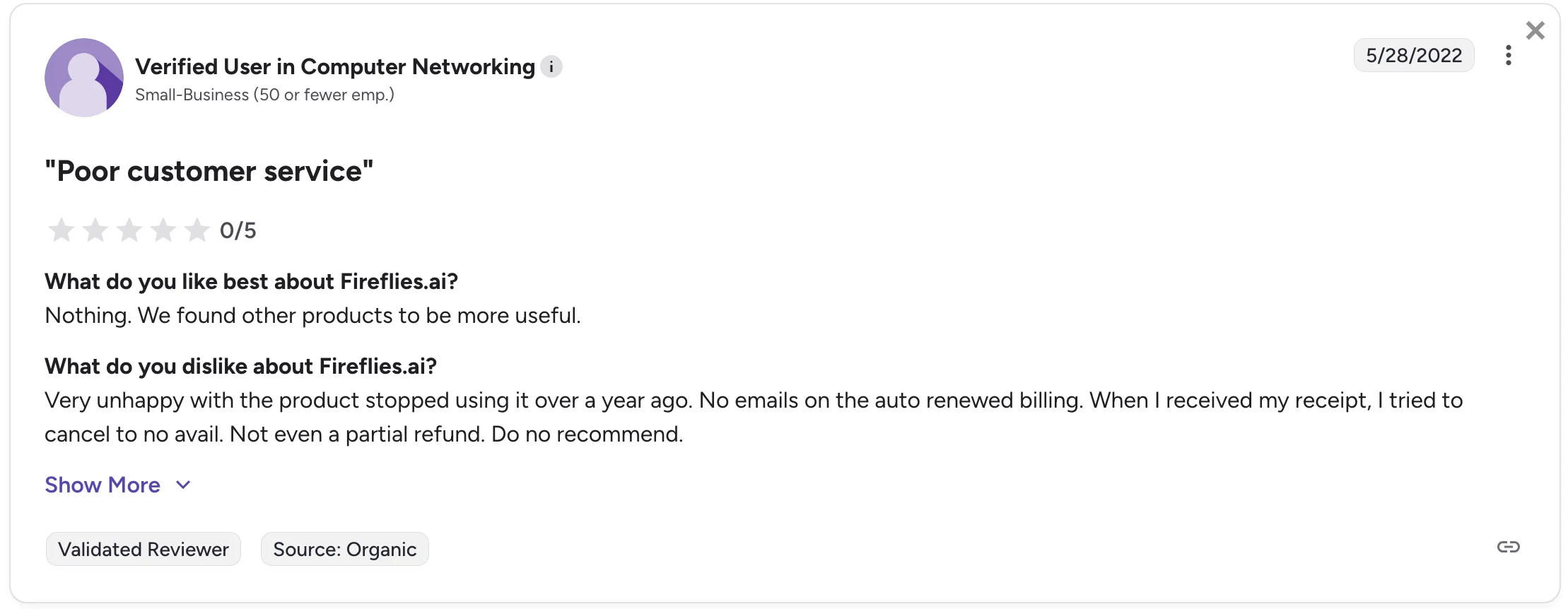
In another case, a user got charged for an automatic subscription renewal without notification — not even an automated email from Fireflies AI. They also had issues canceling their subscription, and didn't get even a partial refund for their trouble.
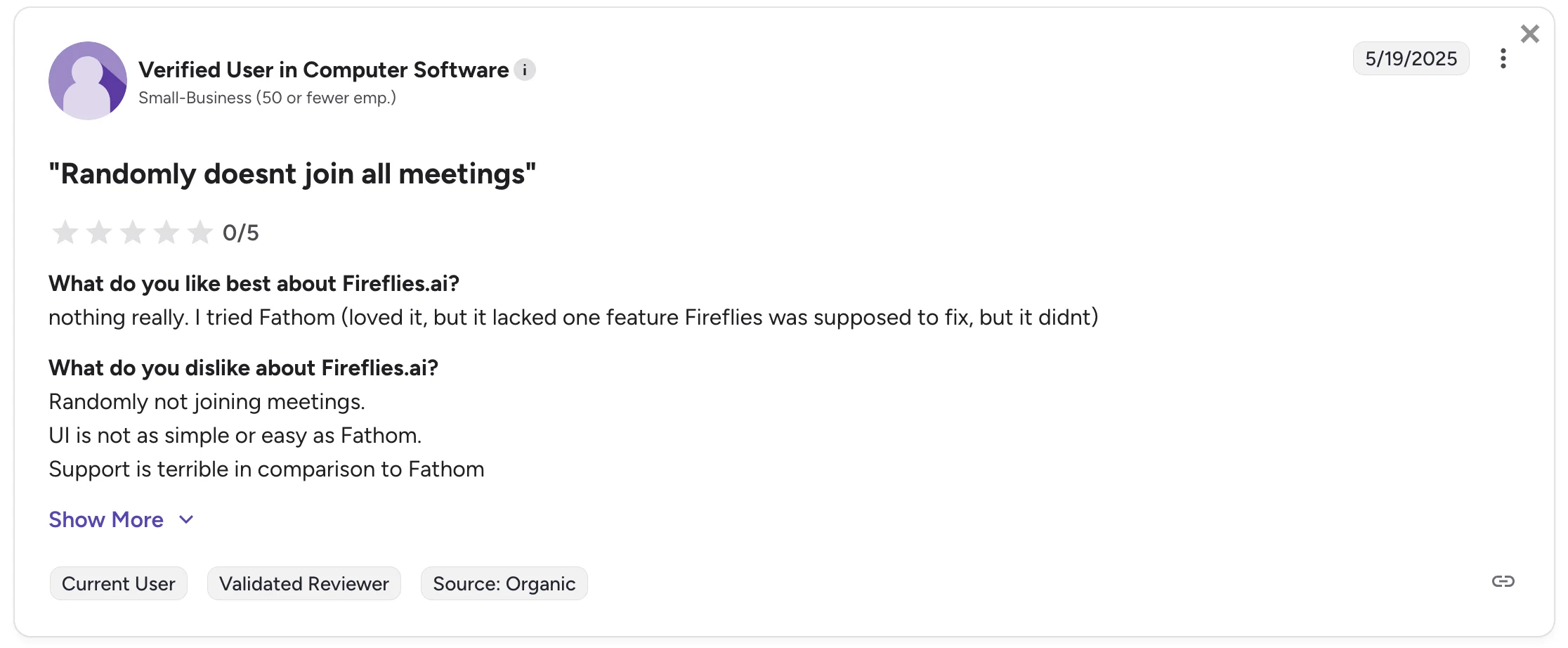
Some users are also complaining about an unpleasant combo of buginess and absentee support. When your note-taking bot randomly fails to join an important meeting, that's one thing — but when you can't communicate the issue to the tool's support team, it becomes even worse.
#2. It's Too Expensive
Like most other AI meeting assistants, Fireflies AI is a subscription-based service.
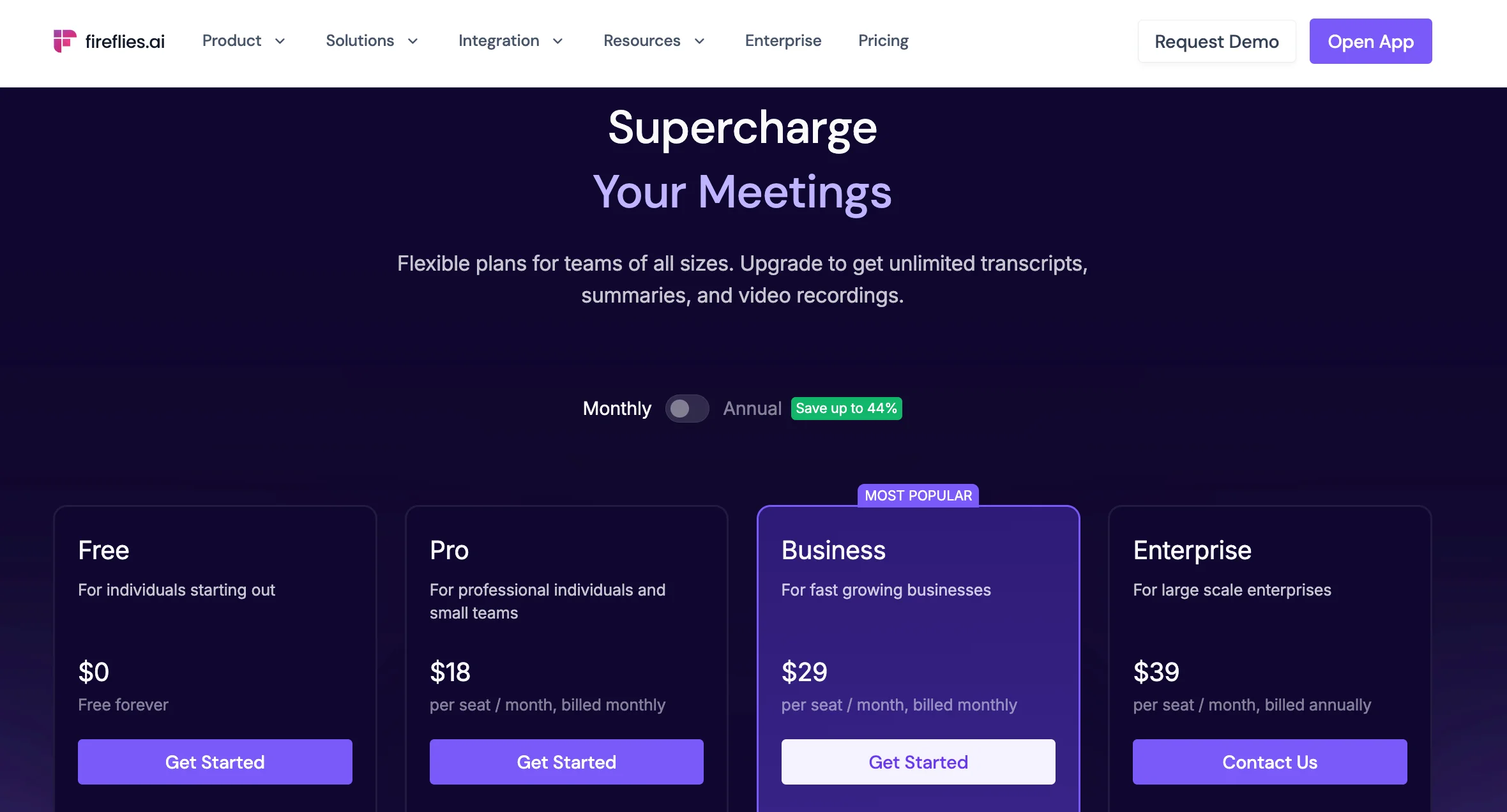
At first glance, Fireflies AI doesn't seem to be much more expensive than its direct competitors. However, the subscriptions listed on their website are only one part of the tool's full price.
To use the platform's advanced AI features — like different templates for AI summaries — you'll need to spend Fireflies AI credits.
You need these AI credits for things like:
- Running “AI Apps”
- Extracting automatic soundbites or key moments from meetings
- Creating custom summary sections where you define logic yourself
We put the "AI apps" in quotation marks there because they're not really apps in any conventional sense. Rather, these are pre-built templates for summaries of different meetings, e.g., BANT, MEDDIC, and interview feedback.
Obviously, these AI summaries are a key feature, especially for sales teams with specific frameworks, like MEDDIC.
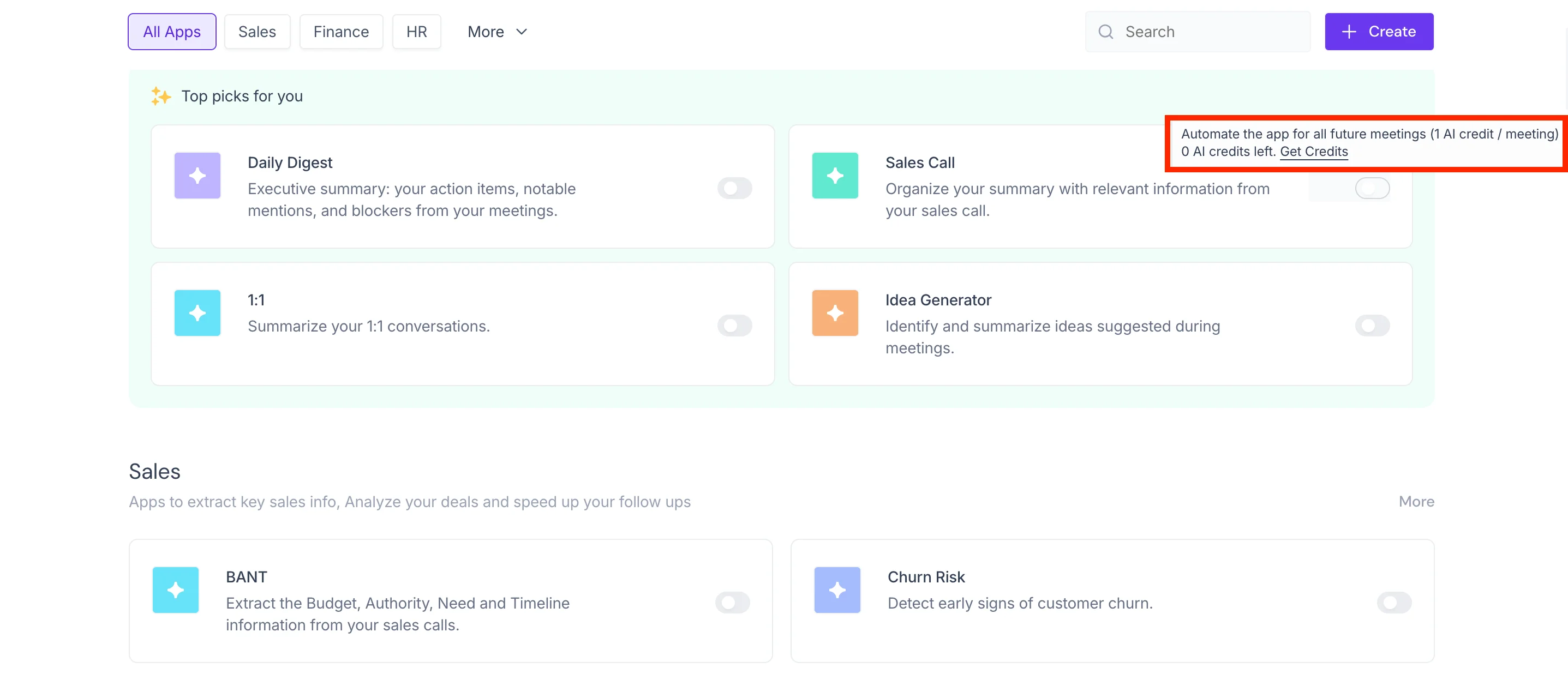
You can toggle these "apps" on and off — but each template or automation you use costs you 1 credit per meeting.
For context, here's how many credits you get with each plan:
- Free plan: 0 AI credits
- Pro plan: 20 AI credits
- Business plan: 30 AI credits
- Enterprise plan: 50 AI credits
The credits are shared across your team (i.e., a workspace), and adding more teammates does not increase the amount of credits you get with your subscription.
Naturally, the AI credits run out quickly — and then you need to purchase more on top of your subscription. At that point, 50 additional credits will set you back $5.
For sales or customer success teams, 50 calls is nothing. In fact, 30 calls per team member is a common daily quota.
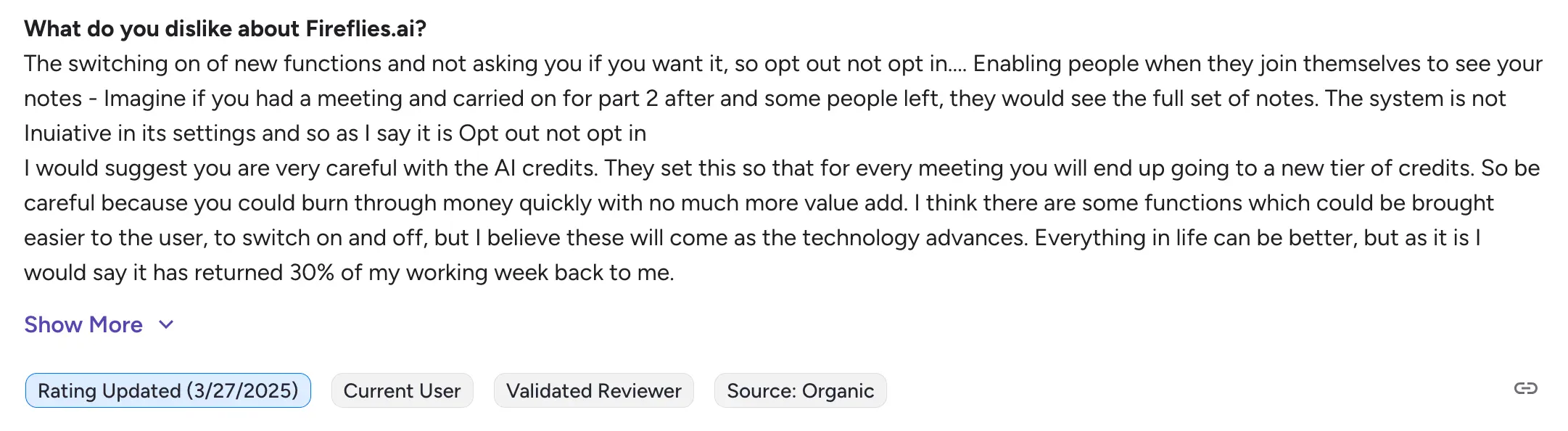
As a result, Fireflies AI is too expensive for both smaller and enterprise teams — even when users are satisfied with its features.
#3. It Doesn't Provide Enough Storage
Depending on your Fireflies AI subscription, you get different amounts of storage for your recorded conversations.
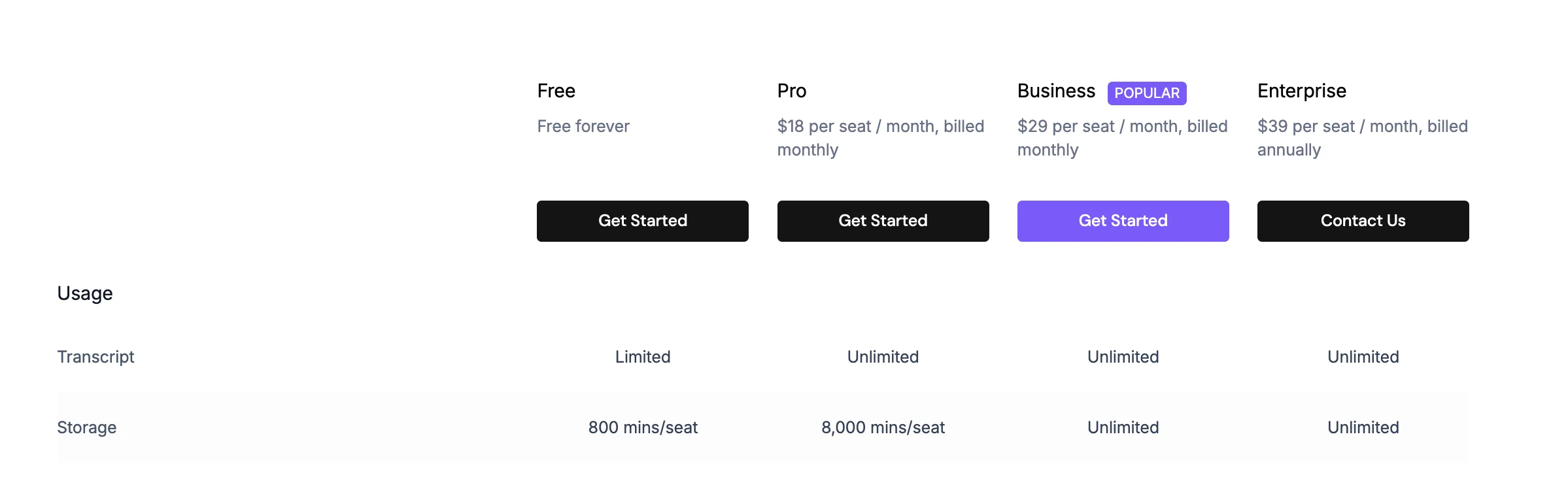
For many professional users, these storage limits are too low. These users constantly have to delete old conversations to make room for new ones — which reduces the context window for Fireflies AI tools, and adds another manual task.

With the Pro Fireflies subscription, you get 8,000 minutes for each user. This may seem like a lot, but that amounts to around 130 hours of conversation — something a sales rep can burn through in under 2 months.
If you need past recordings and transcripts for training, hand-offs, or examining customer health signals — you'll probably be out of luck after a couple of months on the Free or Pro plans.
Also, this storage is used if you upload a recording from Zoom or Google Meet, not just if you record calls via Fireflies AI. Sooner rather than later, you either need to upgrade to a higher subscription or delete older data.
#4. Its Marketing Can Be Too Aggressive
Every SaaS tool uses some growth hacking tactics to reach more people. However, Fireflies AI can be too aggressive with its marketing.
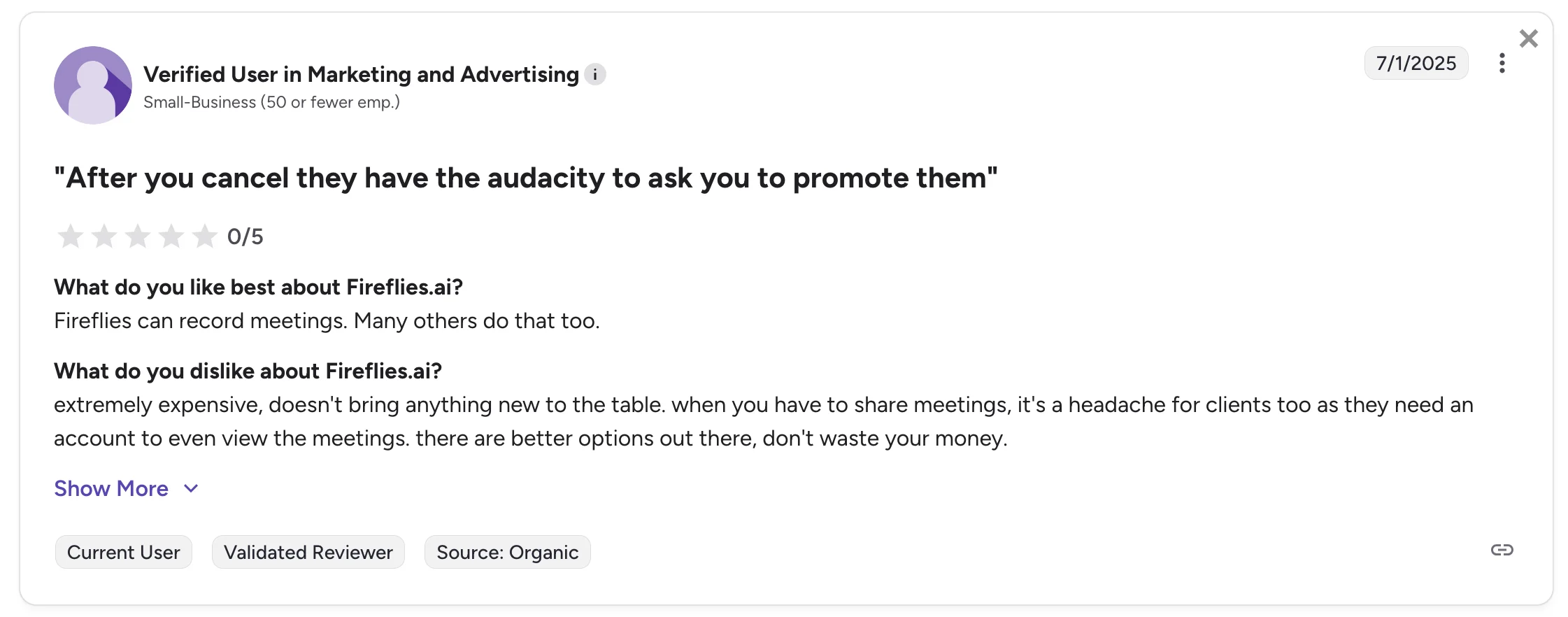
Unlike Bluedot and similar competitors, Fireflies doesn't give you the option of sharing recordings and transcripts to third parties without a Fireflies account.
While forcing everyone to register an account before viewing a meeting obviously helps Fireflies get more users, it's a headache for everybody else.
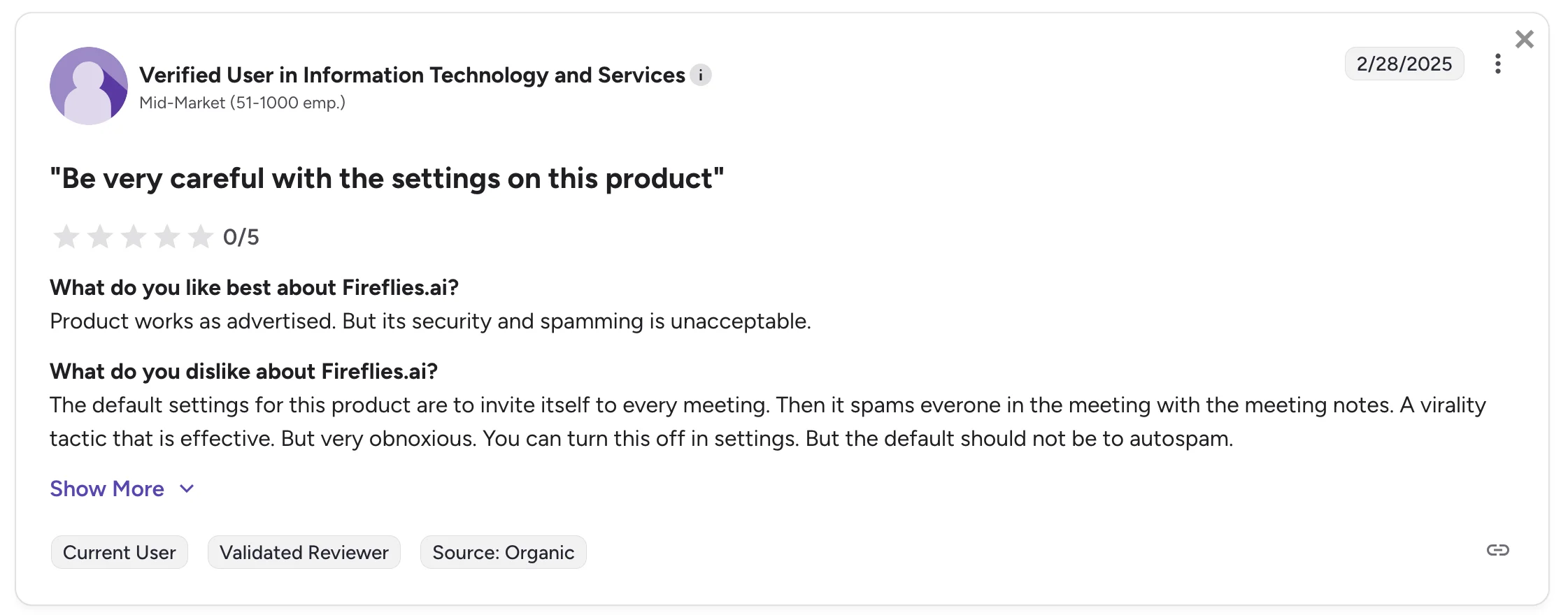
By default. Fireflies AI automatically sends its meeting summaries to every call participant. This is problematic, especially for sales calls where leads might feel uneasy after reading an AI's analysis of their behavior.
Also, the app's note-taking bot automatically joins all upcoming meetings after you create an account and connect your calendars. While this can be a useful feature, some users complain about it being the default option for everyone.
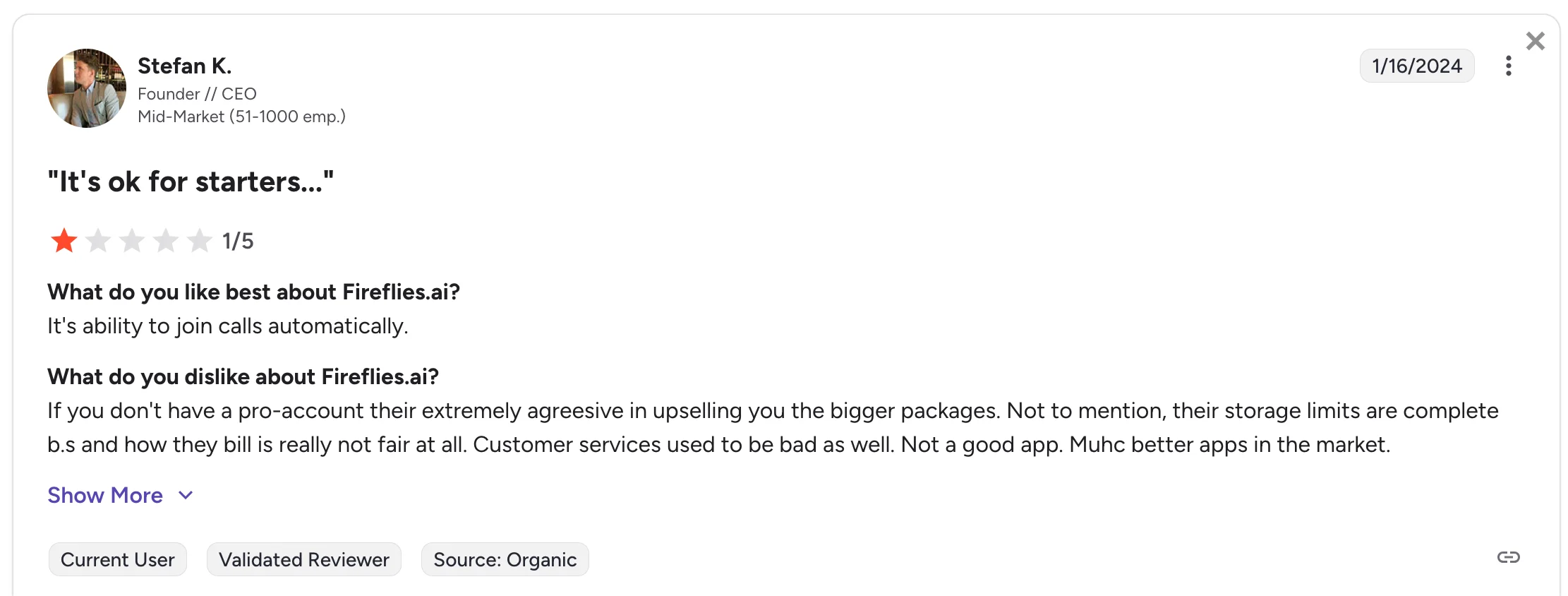
A CEO and founder of a company with 50+ employees noted that Fireflies AI tried to upsell him on the platform's most expensive packages too aggressively. Also, he echoed other users' concerns about low storage limits and subpar customer support.
#5. Its Transcription Struggles With Accents
Multiple users have reported transcription issues with Fireflies AI — especially when someone in a virtual meeting spoke with a heavy accent.
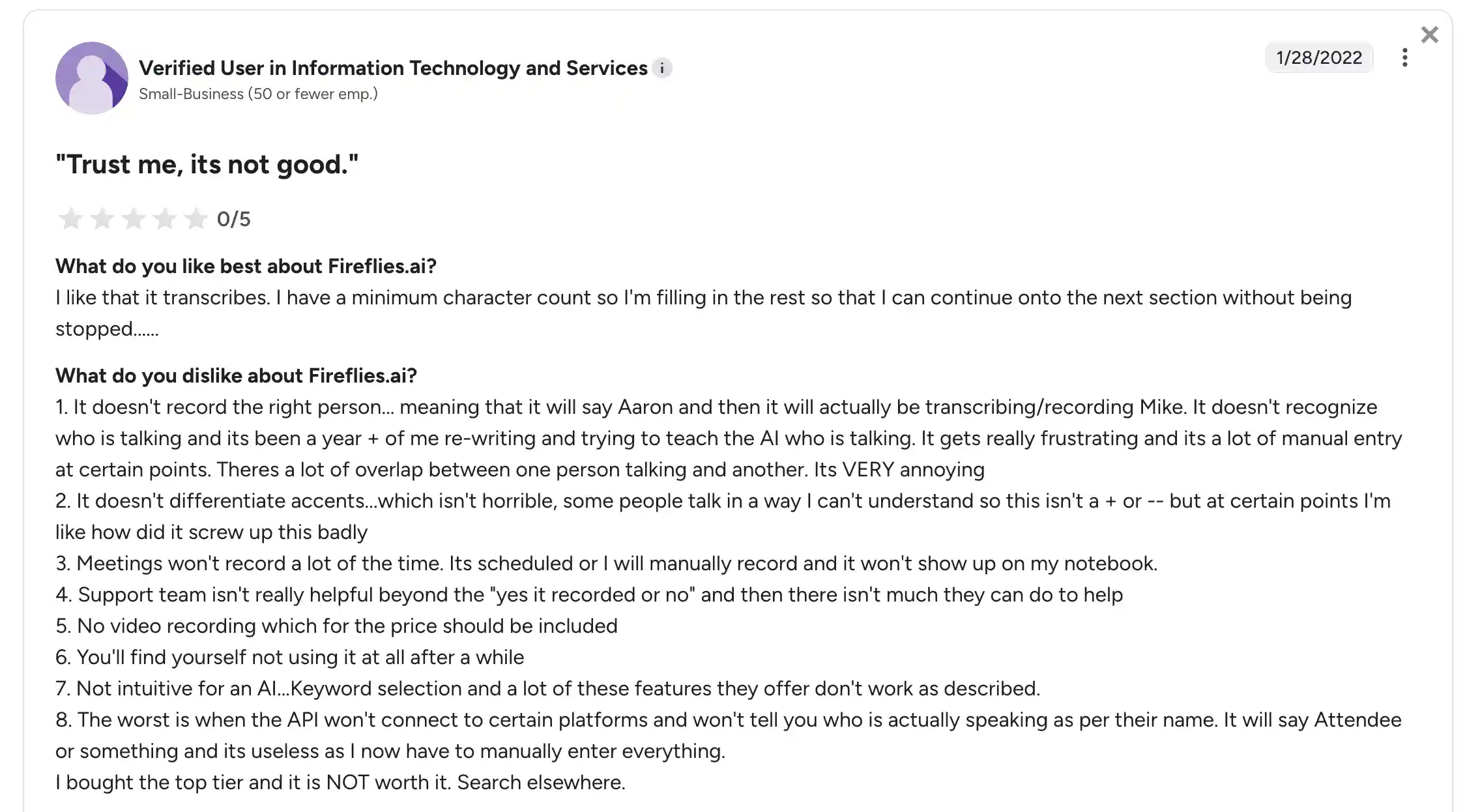
One user from a small IT business pointed out that Fireflies AI made a lot of errors while transcribing speech with heavy accents. Also, the tool couldn't reliably tag different speakers during overlapping speech — something that happens in almost every meeting at some point.
Considering the reviewer had to spend additional time correcting Fireflies AI's meeting notes, they weren't satisfied with the platform's cost-effectiveness.
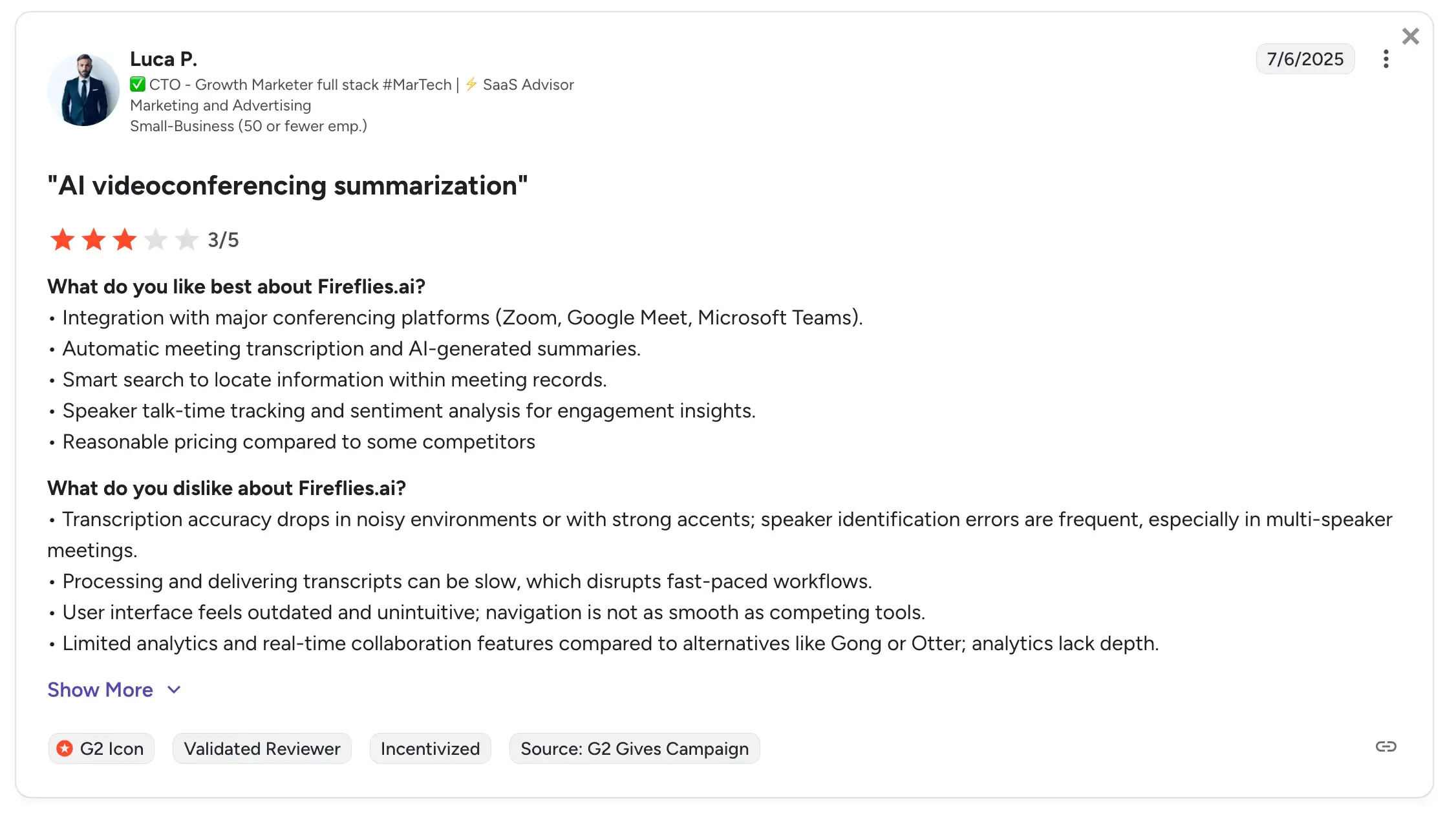
According to another growth marketer who used Fireflies AI, the transcription and AI insights were inaccurate in noisy environments.
This isn't a huge issue on its own, since most AI alternatives couldn't analyze voice conversations accurately when there's too much noise. However, the user also pointed out that transcriptions were inaccurate in conversations with stronger accents.
For global teams with a lot of non-native English speakers, this could be a deal-breaker — especially since Fireflies AI also had trouble with speaker identification in similar situations.
What Are the Top Fireflies AI Alternatives?
Our top Fireflies.ai alternatives are:
- Bluedot
- tl;dv
- Notta AI
Read on to see why these AI meeting tools beat Fireflies AI — and learn about their own pros and cons.
#1. Bluedot — Best Fireflies AI Alternative Overall
Bluedot is an AI meeting assistant that can record, transcribe, and summarize your online and in-person meetings.
Unlike most other Fireflies AI alternatives, Bluedot can do all this without a bot in the call. It works via a Chrome extension, but you can also upload your video and audio for AI-powered meeting summaries and analysis.
The platform integrates with popular CRMs like HubSpot and Salesforce, as well as other productivity tools — including Notion and Slack. With Bluedot, you can easily share meeting notes and transcripts with clients and your team.
Like most AI note takers, Bluedot's core promise is to let you focus on the conversation while the tool handles everything else — like action items, highlights, and follow-ups.
Bluedot — AI Summaries & Premium Features
Bluedot's key features include:
- Bot-free meeting capture — Bluedot works without requiring a bot in your call. It uses a Chrome extension (or mobile app) to record and transcribe meetings across video conferencing apps, including Google Meet, Zoom, and Microsoft Teams.
- Customizable AI-notes via templates — You can get AI-generated meeting summaries with useful information for different types of calls (like sales calls, interviews, team syncs, etc). Bluedot provides pre-made templates, but you can customize your own.
- Easy CRM integration — Bluedot can sync meeting summaries and action items to HubSpot and Salesforce, so you don't have to do much manual work post-meeting.
- Searchable transcripts and AI chat — You can search transcripts across past meetings, ask questions related to your meeting history (“What did Alex say about budget?”), and pull insights.
- Support for 100+ languages — Transcription and summaries work in many languages, making it suitable for global teams.
Let's see how Bluedot compares to Fireflies AI — and why it should be your top choice.
Fireflies AI vs. Bluedot
Right off the bat, Bluedot is easier to use than Fireflies AI thanks to its responsive and timely support.
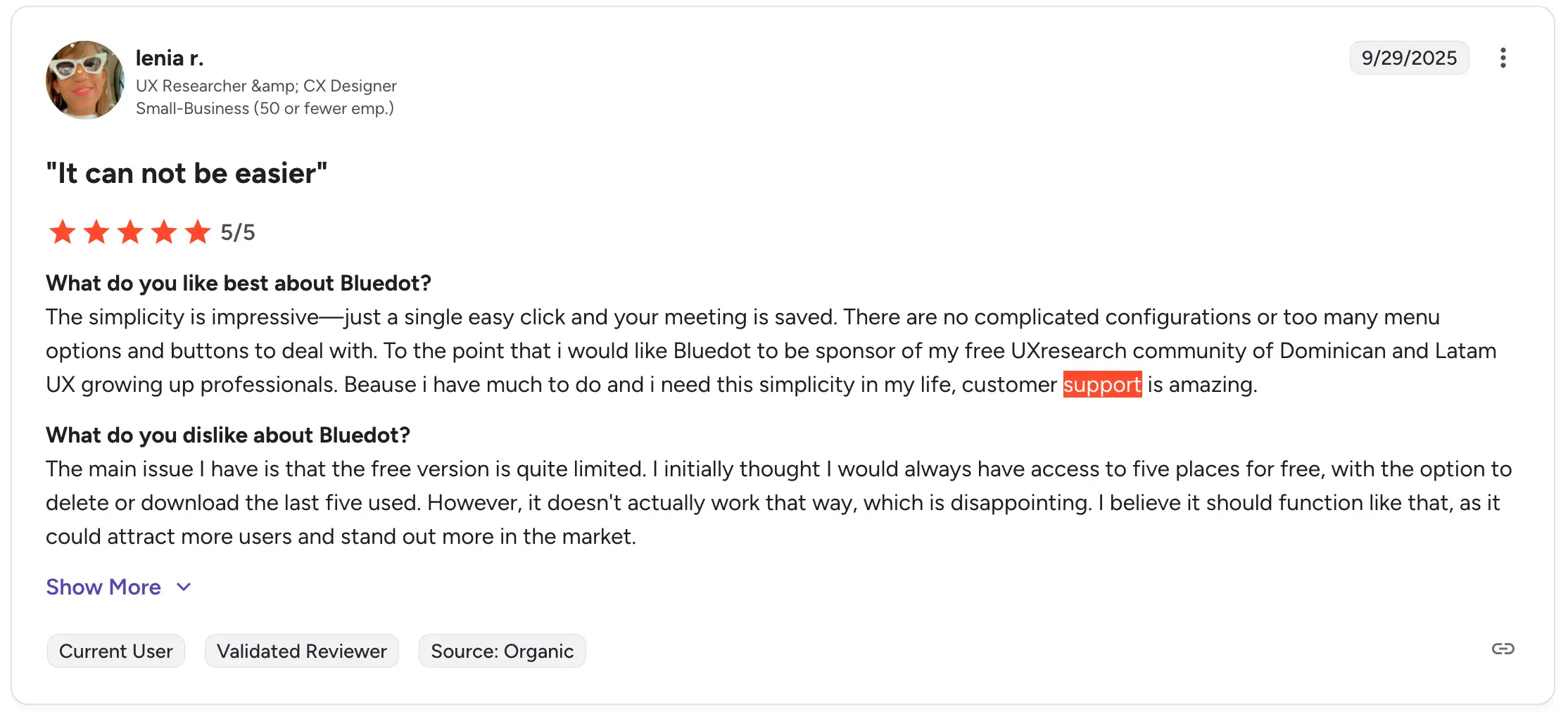
Users appreciate Bluedot's general ease of use and customer support to the point that it has received praise from professional user experience designers.
Compared to Fireflies AI's expensive and complicated pricing model, Bluedot is also more affordable and easier to understand. While its subscription prices are similar to Fireflies AI, Bluedot doesn't require you to pay for additional credits.
Advanced features, like custom meeting templates for all your meetings, are available based on your subscription — you don't have to buy any additional modules or credits.
Plus, Bluedot provides unlimited storage with each paid plan, so you don't have to worry about constantly deleting old meetings to make room for new recordings.
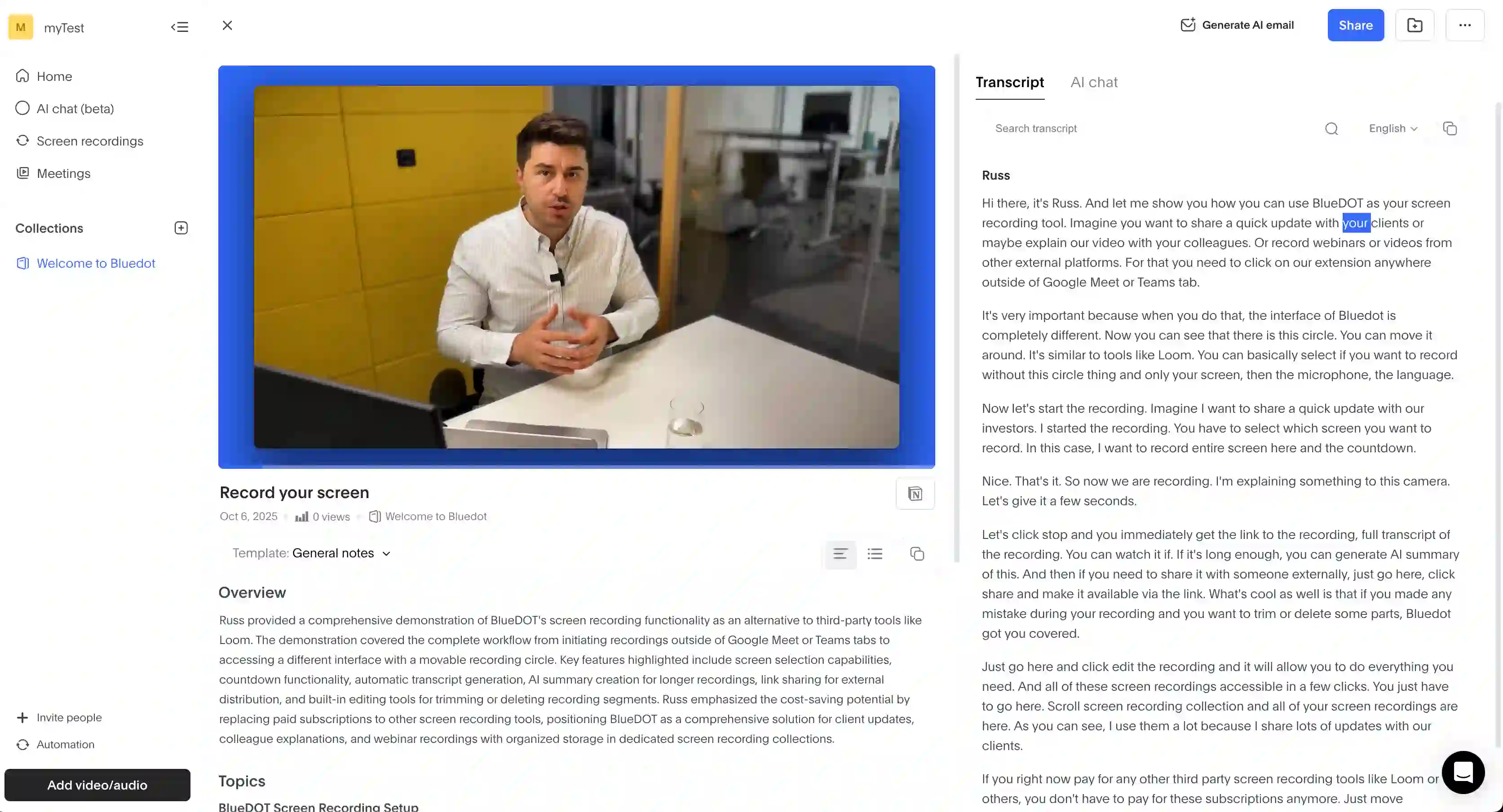
Bluedot also makes it easy to share recordings and transcripts with anyone via a link.
Unlike with Fireflies AI, your recipients don't need a Bluedot account to view the meeting.
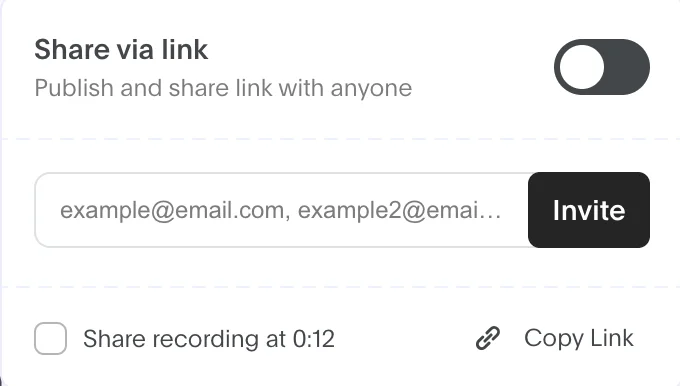
With its bot-free option for recording meetings, Bluedot is also less invasive than Fireflies AI.
Furthermore, Bluedot supports AI transcription and meeting notes in 100+ languages. Compared to Fireflies AI, Bluedot users have no trouble with transcriptions in multiple languages.
Bluedot Pricing Explained
Here's what you get with each Bluedot paid plan:
As you can see, Bluedot is a much more affordable choice, especially for small teams that need a meeting management tool with unlimited transcription and unlimited meetings — without paying a fortune.
Bluedot Pros and Cons
Still not sure if Bluedot is the right AI note-taking tool for you? Here's the simplest breakdown of its pros and cons:
Read More: Fireflies AI vs. Otter AI vs. Bluedot
#2. TL;DV — Great for Audio and Video Recording
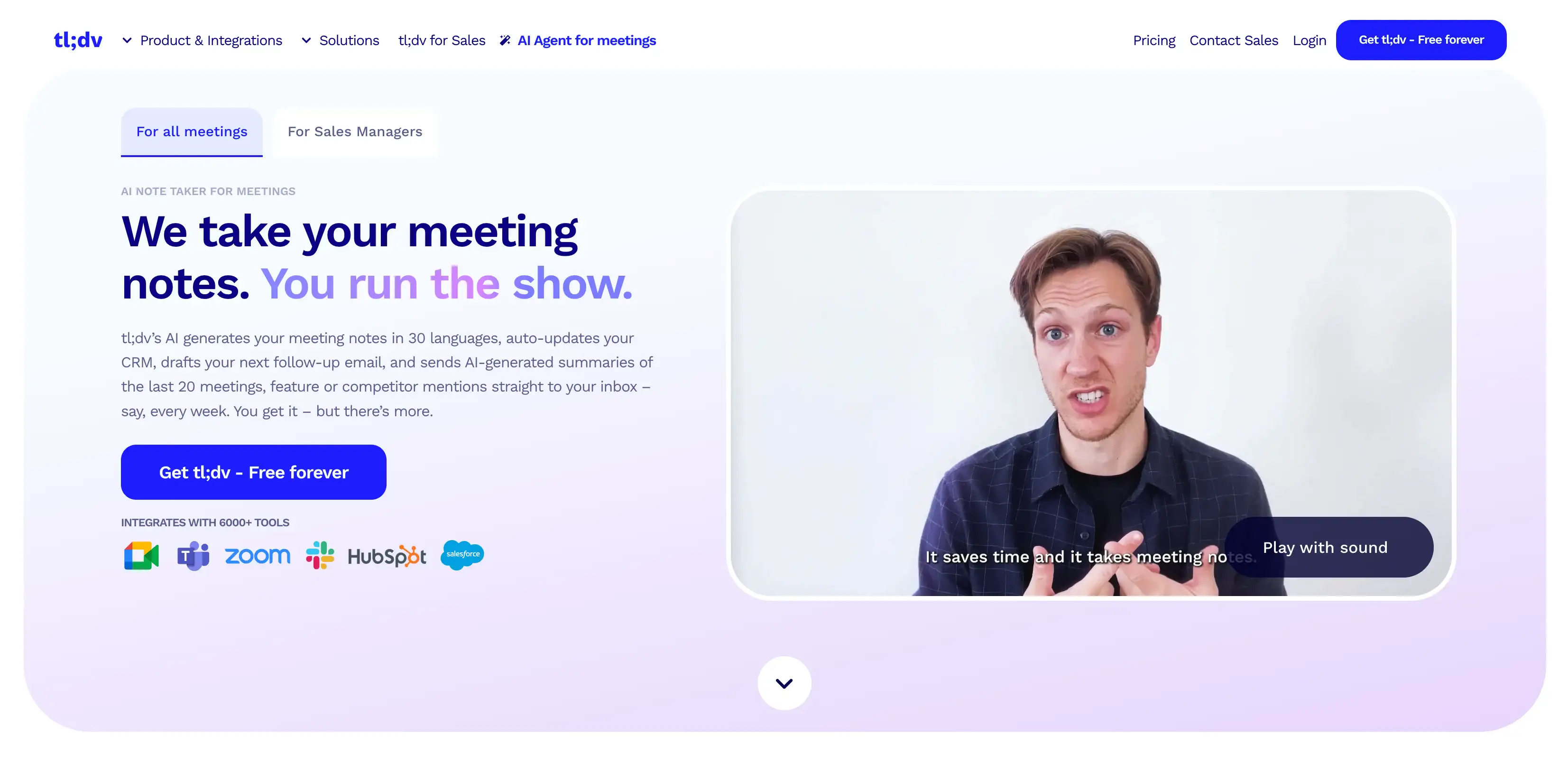
TL;DV is an AI meeting assistant designed to capture, transcribe, and summarize calls across platforms like Zoom and Google Meet.
It focuses on speeding up your workflows by providing instant timestamping during calls, automatic highlight generation, and easy sharing of key moments with teammates.
tl;dv's main selling point is that it saves your team time by giving them various ways to quickly review the most important parts of a meeting, instead of watching or reading the entire thing.
Let's check out its main features.
TL;DV — Key Points & Advanced Features
tl;dv's main functions include:
- Instant highlights and timestamps — You can mark important moments during the meeting in real time. tl;dv automatically turns these into skimmable timestamps so teams can jump directly to key points.
- Clip creation and easy sharing — tl;dv lets you create short video clips from recordings and share them with teammates. This is useful for sharing critical moments without distributing full recordings.
- Integrations with major collaboration tools — tl;dv connects with Slack, HubSpot, Notion and other productivity platforms, allowing teams to push highlights and summaries directly into their existing workflows.
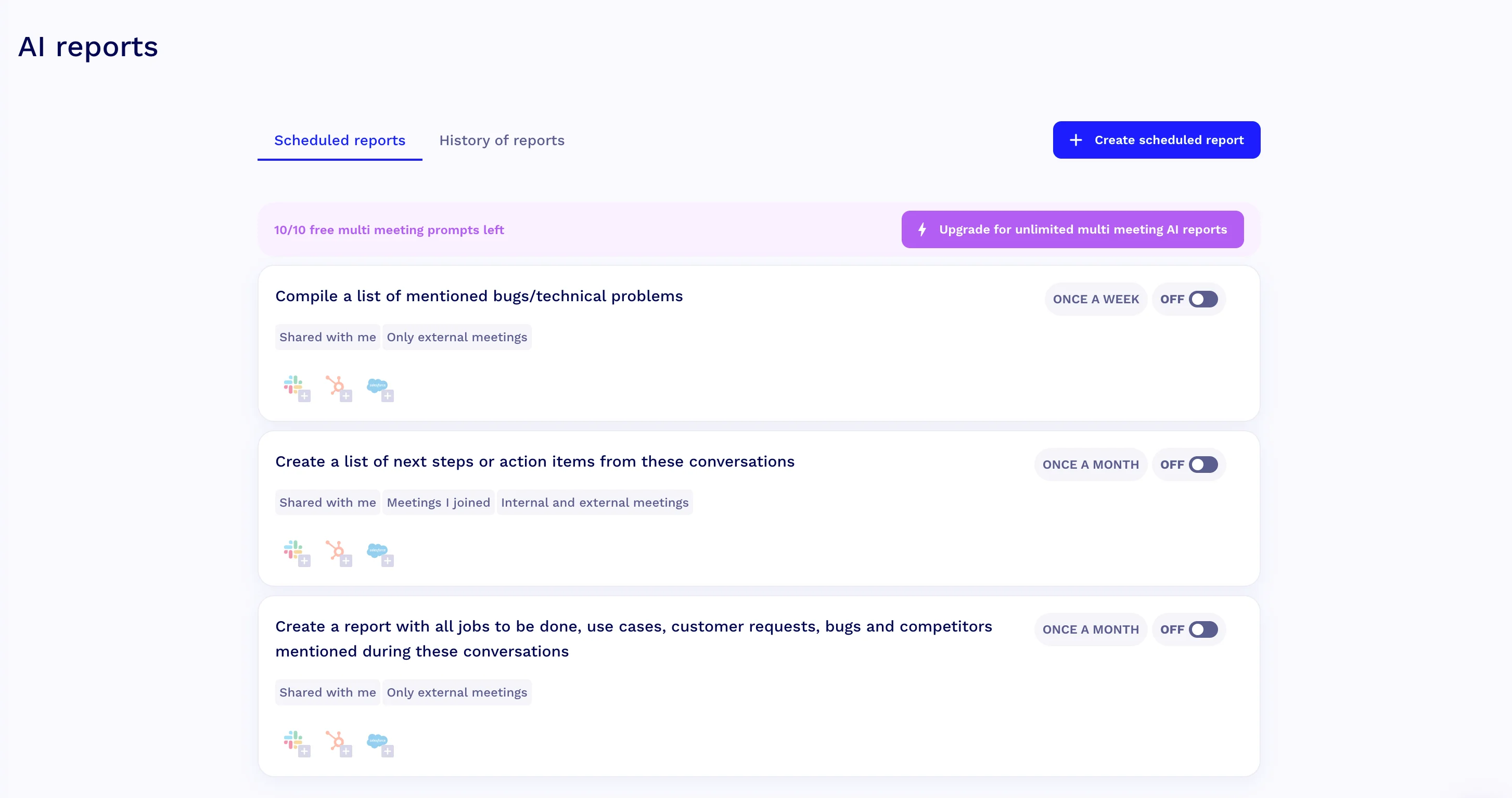
- AI Reports — You can set up Recurring AI Reports, meaning you define criteria and the system will automatically scan selected meetings and deliver a summary on a schedule (weekly, monthly, etc.).
Let's see how tl;dv's transcription services and meeting agendas compare to what Fireflies AI offers.
Fireflies AI vs. TL;DV
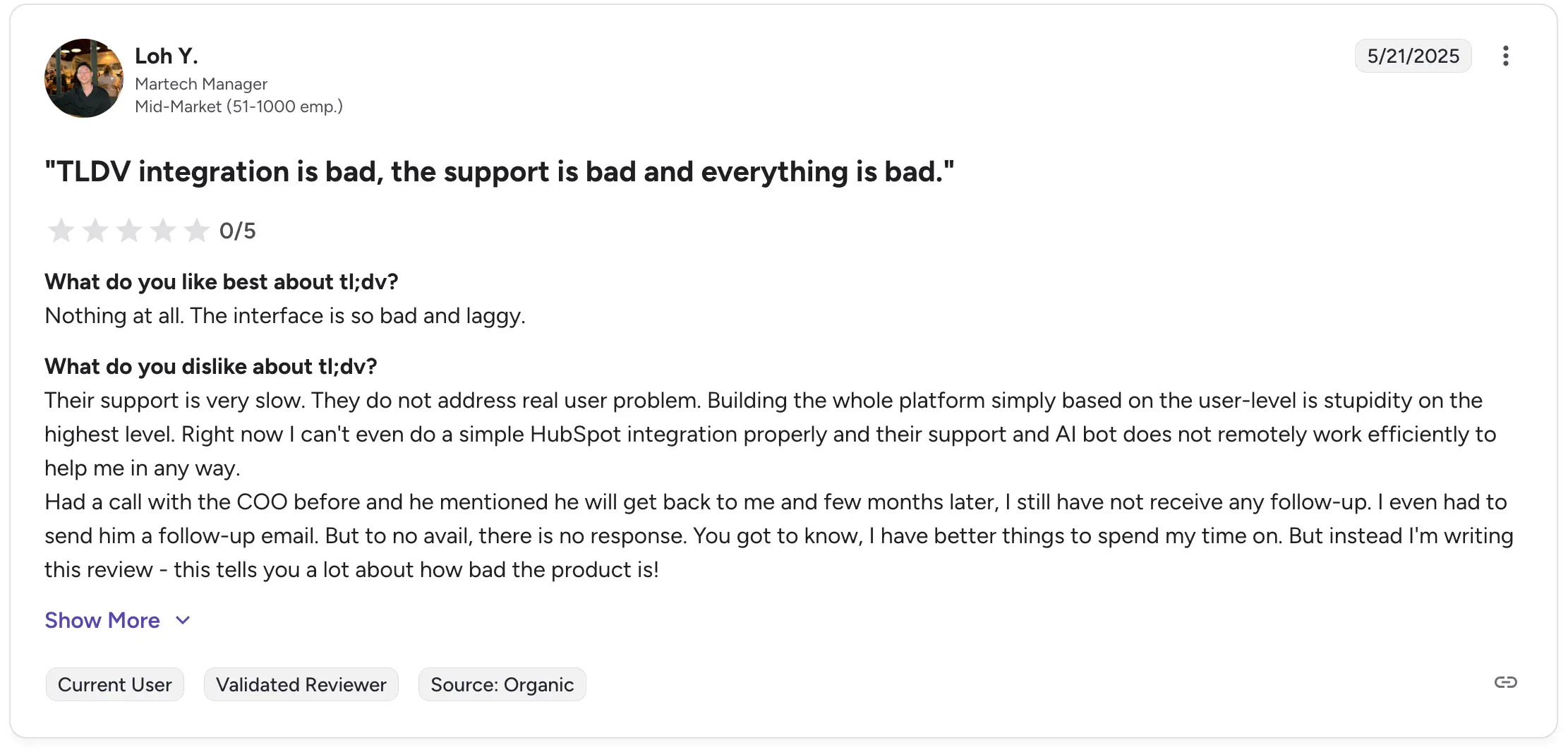
In terms of usability and support, tl;dv doesn't do much better than Fireflies AI. Some users also report that the platform's support team was slow to respond — and after responding, they hadn't addressed their issues in earnest.
A talent acquisition manager who used this meeting transcription tool for interviews had similar complaints.

According to this user, tl;dv repeatedly downgraded his account to a lower price tier — despite his company paying for a higher-priced annual subscription.
On the other hand, tl;dv does not use a credit-based system. Features (including AI summaries and AI reports) are tied to plan tiers. Pricing is transparent, predictable, and not tied to usage units like "credits per meeting."
As a result, this is still a more cost-effective choice than Fireflies AI. Also, there's no storage cap similar to Fireflies — each paid user gets unlimited storage on tl;dv.
While you must use a bot with tl;dv on some video call platforms (primarily Zoom), the overall experience is less intrusive than Fireflies AI because there's no:
- Auto-sharing of meeting summaries to all participants
- Forced registration for external viewers
- Reports of spammy upsell behavior
Note: Interested in better meeting assistants? Check out our guide to tl;dv alternatives.
TL;DV Pricing Explained
How much would it cost for tl;dv to record and transcribe all your meetings? Take a look at your options below:
tl;dv's marketing makes a big deal of its "free forever" generous free plan — which it definitely is, at least compared to Fireflies AI.
However, while tl;dv provides unlimited recordings and transcripts completely free, bear in mind that this plan has a 3-month storage limit. There's no limit in terms of gigabytes or minutes (like in Fireflies AI), but your data will be automatically deleted after 3 months of use.
TL;DV Pros and Cons
Still not sure if tl;dv is the right Fireflies AI alternative for you? Remember these pros and cons before committing to a subscription:
#3. Notta AI — Great AI Note Taker for Multi-Device Use
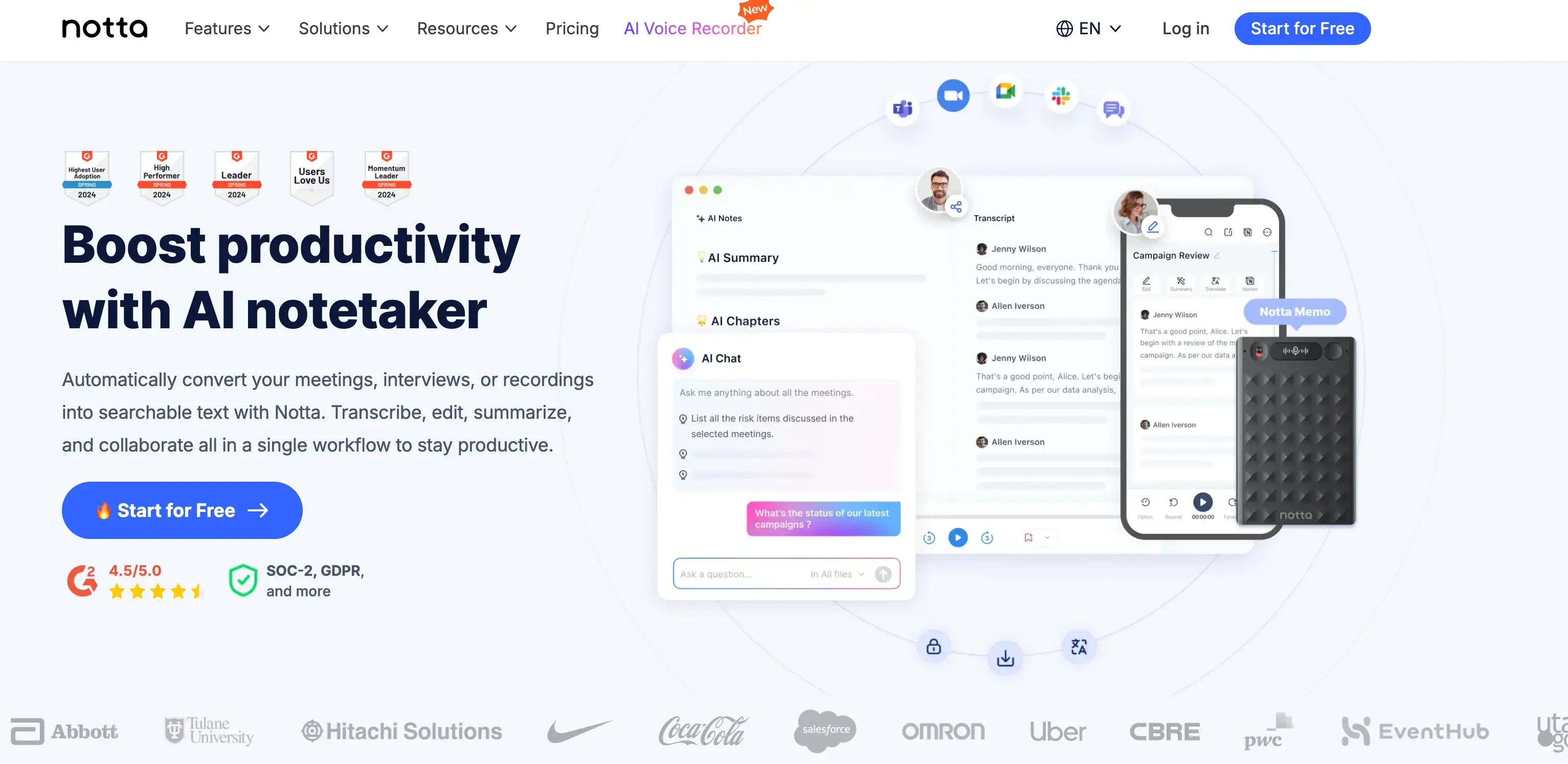
Notta AI is a transcription and voice-processing tool designed to convert audio, video, and live conversations into searchable text — and it works across web and mobile.
While many AI note takers focus on meeting-specific features (like sales call coaching and sentiment analysis), Notta positions itself as a broader, all-purpose transcription tool.
It lets you upload recordings, capture live audio, import YouTube videos, or record directly through Notta. This makes it a strong option for folks who handle various audio formats — not just Microsoft Teams or Google Meet calls.
Still, it's got plenty of team collaboration options as well. Notta AI also markets itself as a secure tool with dedicated administrative controls and collaborative access.
Notta AI — Key AI-Powered Features
Notta AI’s key features include:
- Automatic translation across 40+ languages — Notta can instantly translate transcripts into more than forty languages, which is great for international teams and global interviews.
- Bilingual transcription — If participants switch between two languages during a conversation, Notta can transcribe both accurately in one continuous transcript. This is especially valuable for bilingual workplaces and teams that operate across different markets.
- AI Notes for extracting action items and insights — Notta can generate and organize meeting notes that highlight key decisions, next steps for future meetings, and thematic insights.
- Meeting recorder for online calls — Notta can automatically join meetings on several video conferencing apps to record and transcribe in real time, including Zoom, Google Meet, Microsoft Teams, and Webex.
- AI Chat — Users can ask the AI questions directly within the transcript (such as clarifications, summaries, or topic searches) to pull insights without rereading the entire meeting.
Fireflies AI vs. Notta AI
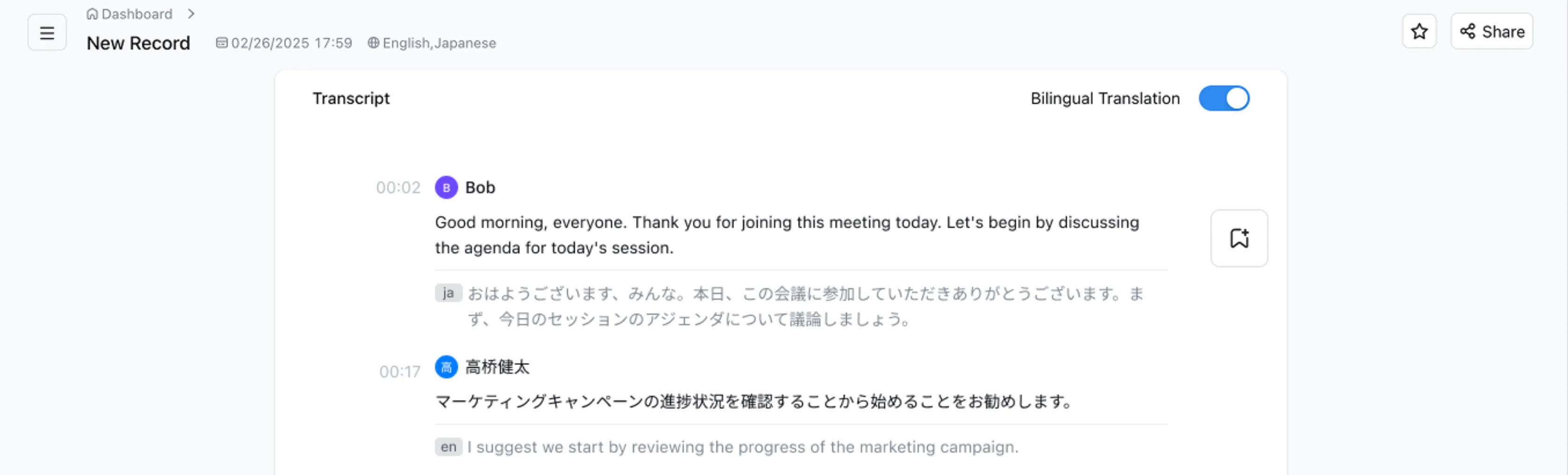
As you'll see in our subsequent overview of Notta AI's pricing, one thing is clear — Notta is a more cost-effective option than Fireflies AI.
Unlike Fireflies AI, Notta doesn't rely on complicated paid plans with AI credits for additional revenue. Like most other AI meeting assistants, Notta has a simple 4-tier subscription structure — and you get exactly what you pay for.
Also, Notta's bilingual transcription supports multiple languages — something you don't get with Fireflies AI.
Unfortunately, that's where Notta's advantages over Fireflies AI pretty much end. In fact, both platforms have a large number of issues in common.
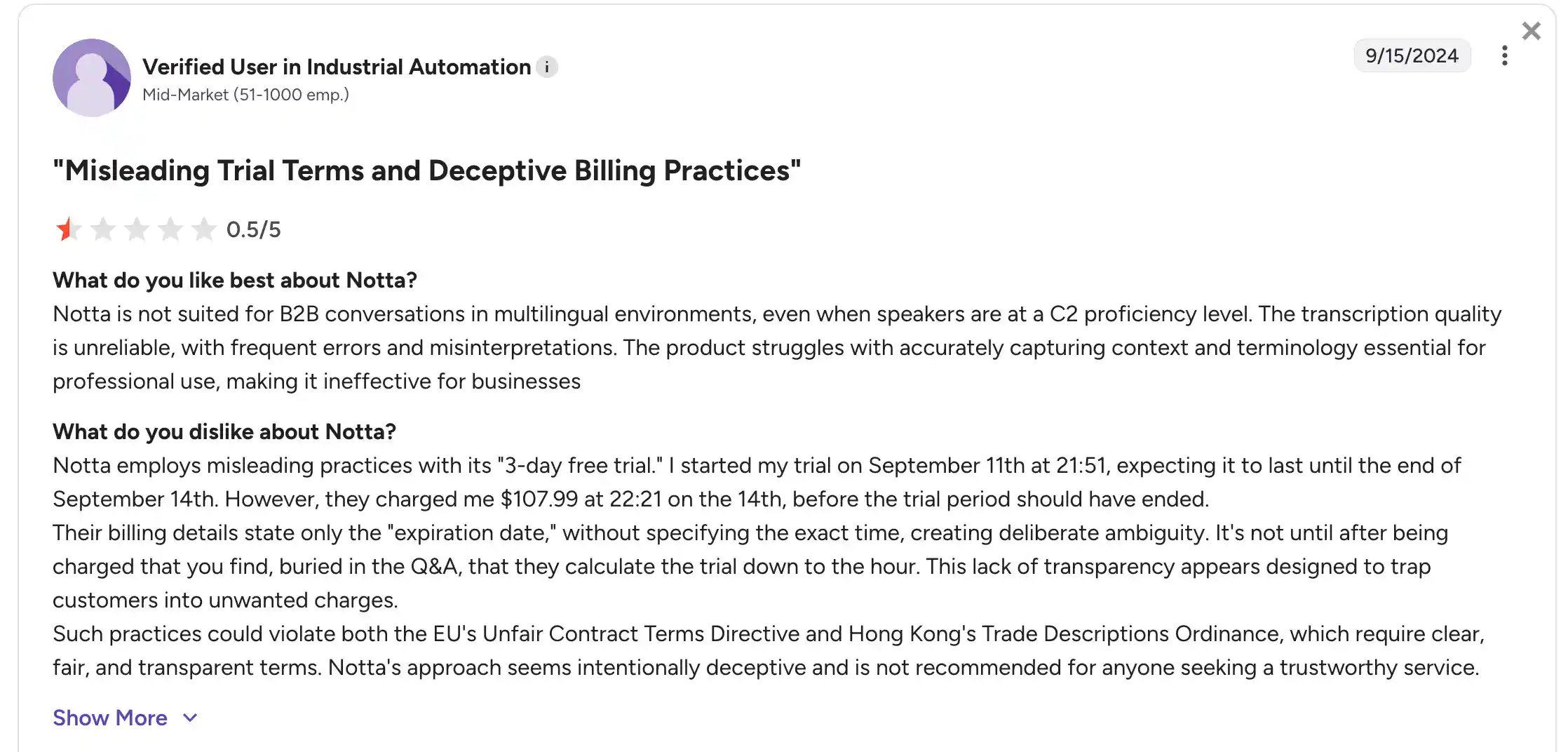
Unfortunately, Notta AI users have also reported shady billing practices. Multiple users claim that Notta AI misled them regarding a 3-day free trial. In reality, they were billed before the implied 72 hours passed — on the last day of the supposed "3-day" trial.
To make matters worse, Notta AI's transcription was unreliable for a user who worked in industrial automation. The platform routinely missed the context of the conversation and made mistakes with professional terminology related to the user's industry.
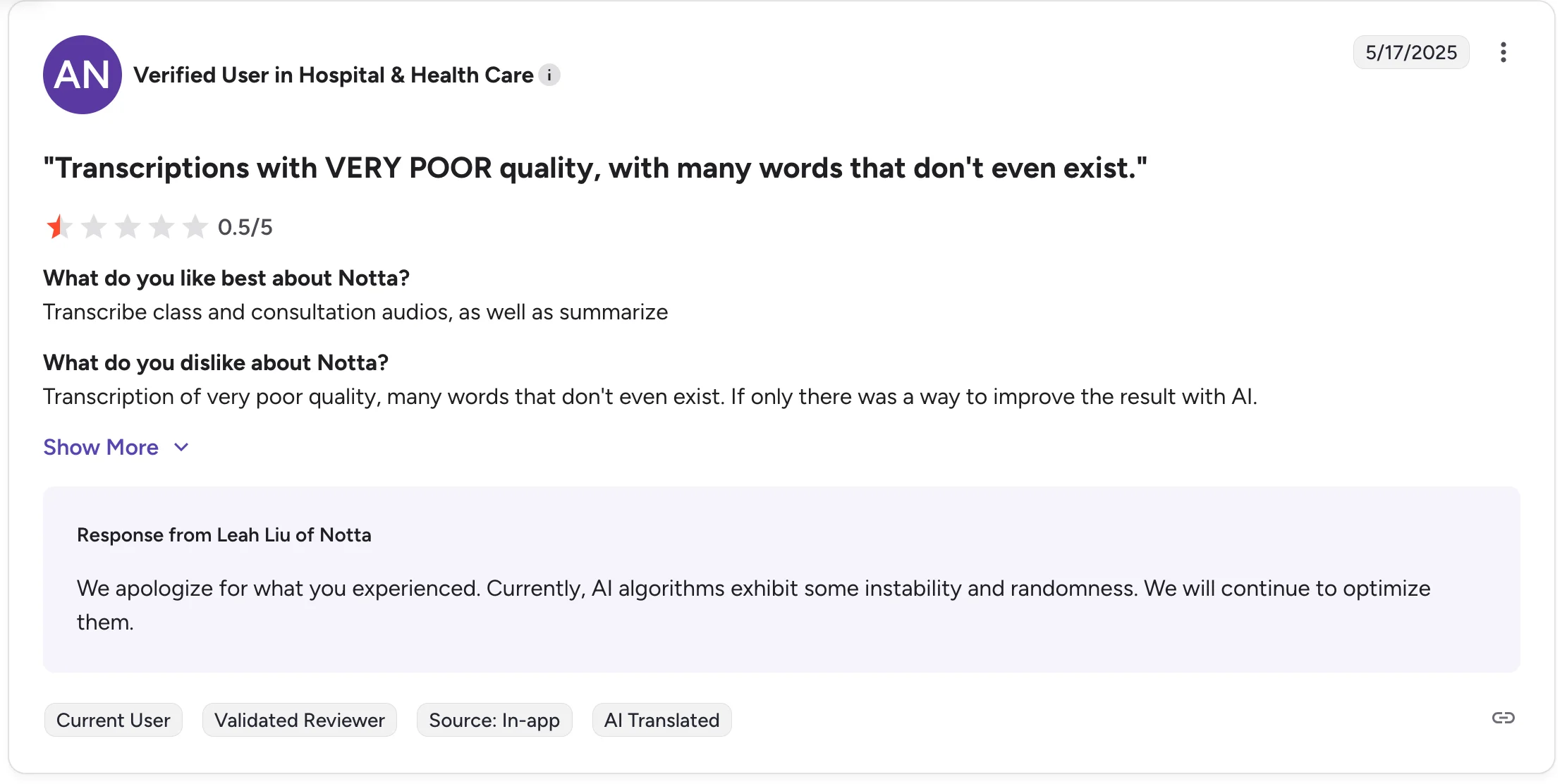
The same transcription issues were echoed by a user from the healthcare industry — another niche where terminology mistakes make Notta AI practically useless, regardless of how affordable its paid plans are.
In multiple cases, users also complain about unresponsive customer support. Unfortunately, these are all reasons why this AI meeting tool ranks last on our list of Fireflies.ai alternatives.
Note: Want to know which meeting assistants beat Notta AI hands-down? Check out our guide to Notta alternatives.
Notta AI Pricing Explained
Want to know the price at which Notta's paid plans start, and what you get with a free account? Check out the table below:
Unlike Fireflies, Notta AI ties everything to plan tiers with fixed monthly limits. You pay for a set amount of transcription minutes, file uploads, and AI summaries.
Only the higher plans provide unlimited transcription and automated follow-ups, but with clear upload limits. There are no extra per-feature credits, so once you pick a tier, your spend is much easier to predict.
Notta AI Pros and Cons
Is Notta a worthy Fireflies.ai alternative, considering their common faults? Before you decide, keep these pros and cons in mind:
Which is the Best Fireflies.ai Alternative?
After comparing various online meeting tools across pricing, transparency, accuracy, support quality, and usability, we can conclude that Bluedot is the top Fireflies AI alternative.
The other tools improve on Fireflies in certain areas, but Bluedot is the only one that consistently avoids all the issues actual users talk about.
Fireflies AI struggles with hidden costs, unreliable support, aggressive marketing, and transcription issues. While tools like tl;dv address the pricing problem and avoid intrusive marketing, that platform still has support issues and a strict 3-month storage limit.
On the other hand, Notta AI keeps pricing simple and introduces bilingual transcriptions — but with its own set of challenges. Most users don't appreciate being misled about free trials, but the real deal-breakers are transcription issues with professional jargon.
At the end of the day, most of us use these tools for internal meetings, interviews, and sales calls at work — all conversations riddled with acronyms and jargon your real-time transcription must recognize.
Bluedot Is The Clear Winner
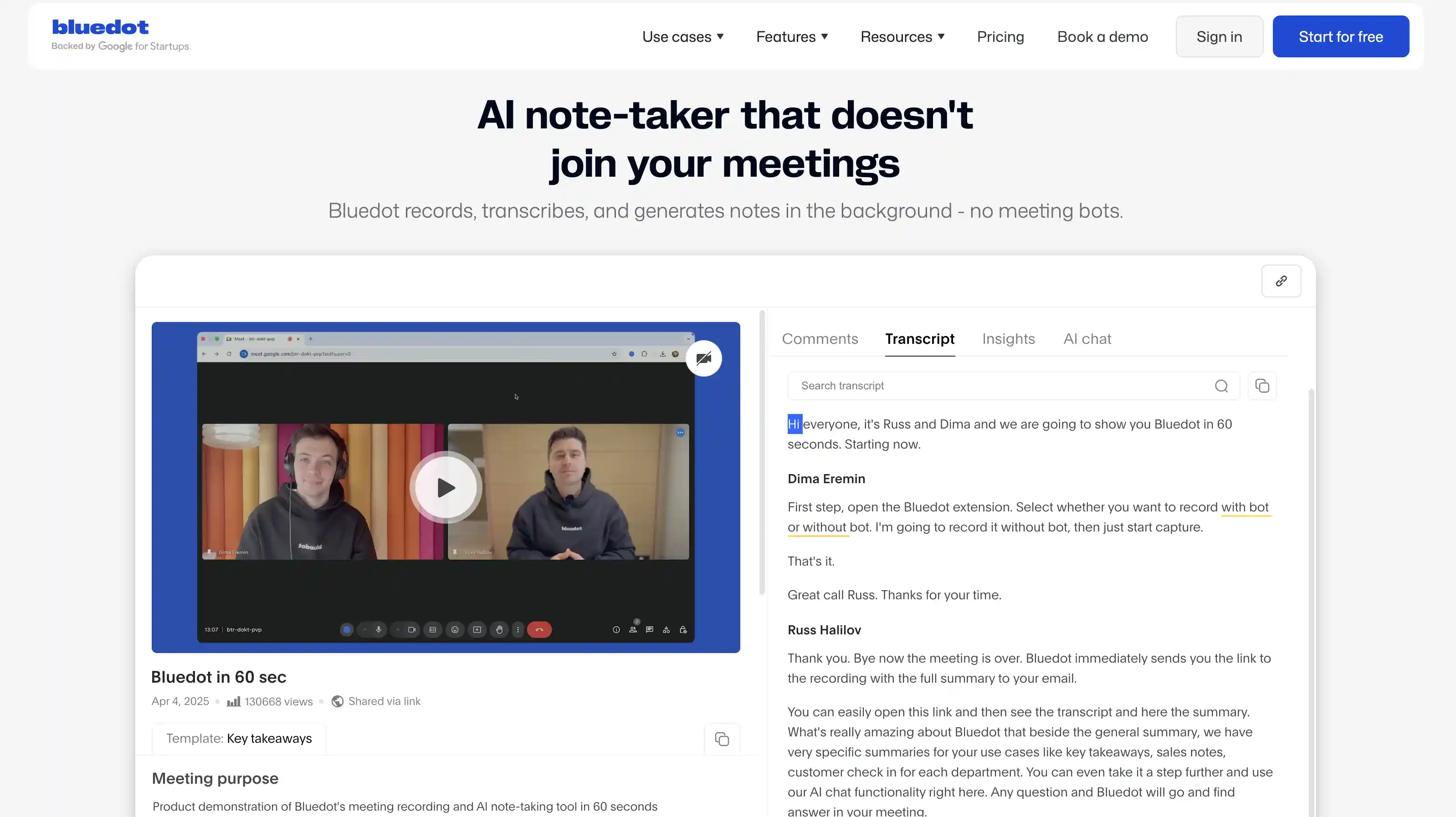
Bluedot doesn't have any of these drawbacks. It offers predictable pricing without AI credits, unlimited storage on paid plans, and no forced sign-ups for people who need to view your shared recordings.
Its bot-free meeting capture makes it far less intrusive than Fireflies, and users consistently praise its responsive customer support and transcription quality.
If you want an AI meeting assistant that fixes Fireflies AI’s biggest problems without introducing new ones, Bluedot is the clear winner.
Frequently Asked Questions
Still unsure about the Fireflies AI alternatives we've presented? Take a look below for our answers to the Internet's most common questions on the topic.
What companies are similar to Firefly?
Many AI meeting assistants share the same space as Fireflies AI, offering meeting recording, transcription, and summary features.
Alternatives include Otter.ai, which focuses on live transcriptions and is one of the oldest platforms on the market. As we've mentioned above, tl;dv stands out for highlight-based video review and async sharing.
Notta AI supports broader audio and video imports and multilingual transcription. For sales teams that need a note taker for multiple meetings and conversation intelligence, Gong is a more specialized choice.
What is the best AI minute taker?
Bluedot offers a strong balance of accuracy, reliability, and usability. It avoids credit-based pricing, intrusive bots, and storage limits that affect many competitors.
Instead, Bluedot focuses on clean transcripts, clear summaries, and simple sharing without forcing viewers to create accounts. Users also praise consistently responsive support, which is less common in this SaaS category.
While other tools excel in special areas like multilingual transcription or video clipping, Bluedot delivers the most stable, predictable, and frustration-free experience overall.
Is Fireflies.ai worth it?
Fireflies AI offers useful features like automatic transcription, summaries, and integrations with major meeting platforms. However, it has drawbacks that aren't acceptable with its high pricing.
Users report costly credit models, storage limits on certain tiers, transcription errors (especially with accents or overlaps), and support responsiveness issues.
If your workflow includes team collaboration over an Internet connection, multilingual speakers, or you need predictable costs and minimal friction, alternatives might deliver better value.
Which is better, Fathom or Fireflies?
Fathom prioritises real-time user experience and simplicity — notably generous free plans and easy clip sharing. However, Fireflies offers broader integrations, supports more conferencing platforms, and deeper analytics features like AskFred. It all depends on your team's needs.