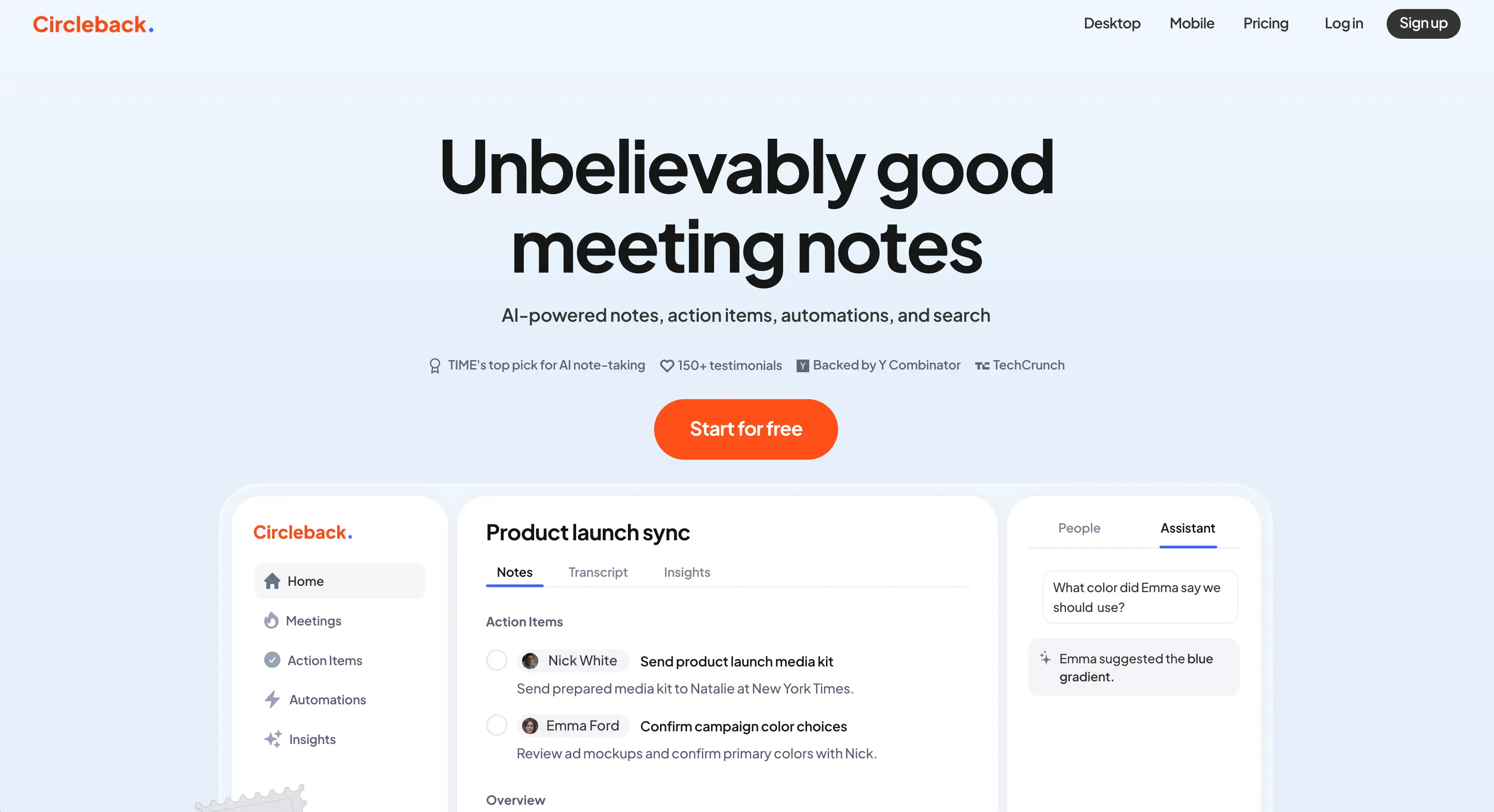
I've used Circleback AI for a few weeks now to see how it stacks against the competition — and I've also tested a dozen similar AI tools.
Tons of these tools offer unlimited AI summaries, useful CRM integrations, and accurate transcriptions. To stand out, an AI tool needs to nail the fundamentals, provide great value, and avoid overcomplicating the user experience with fluffy features nobody actually wants.
Unfortunately, I don't think Circleback AI brings anything new to the table — and since you're reading this article, you probably know that the market for AI meeting assistants is already crowded.
To show you exactly why I wasn't impressed with this platform, I'll go over its key downsides first. And then I'll recommend a few Circleback AI alternatives that do a better job.
Why You Shouldn't Use Circleback AI
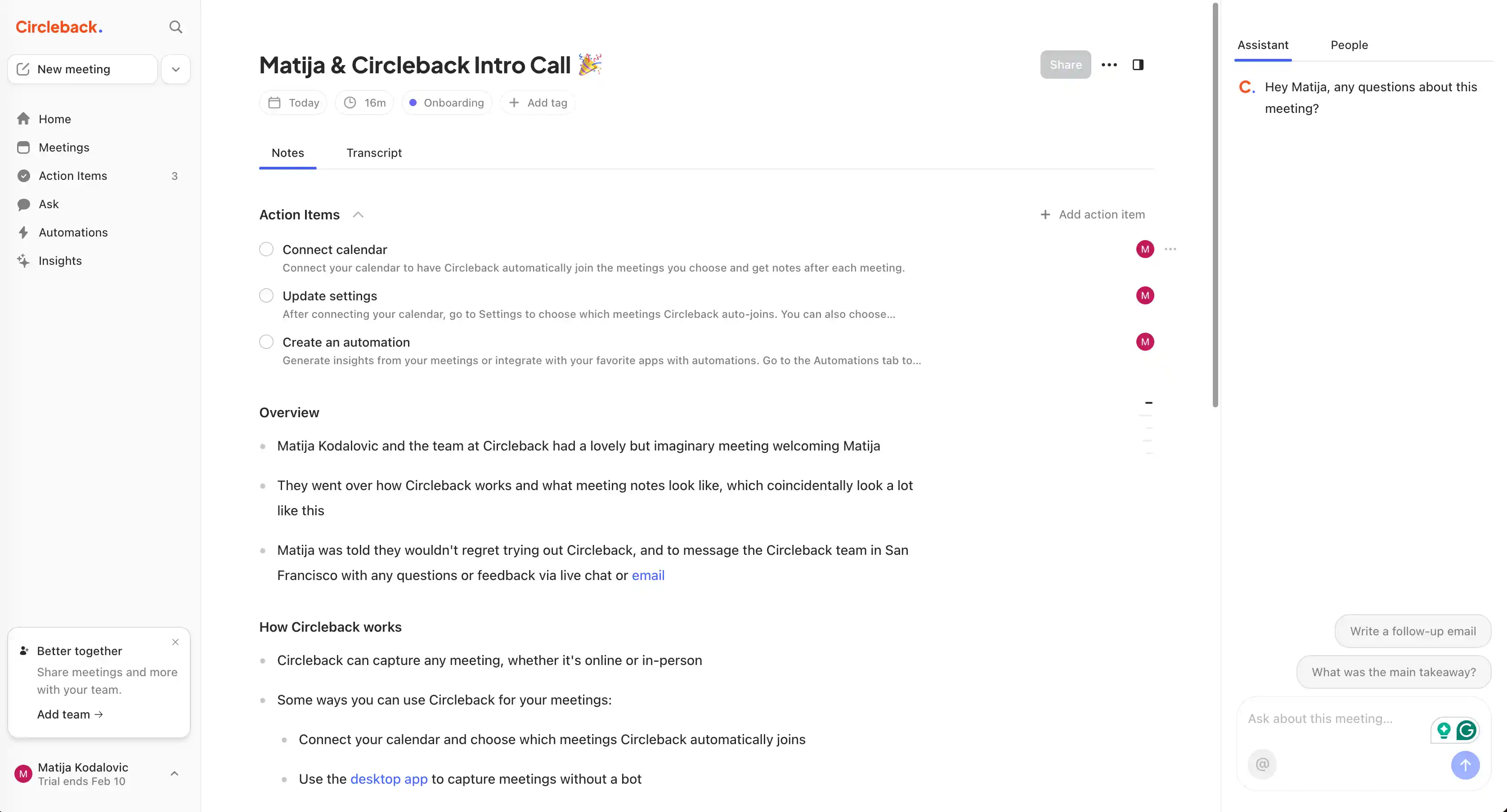
In my experience, Circleback AI doesn't provide enough value for its price — especially compared to competing AI meeting assistants that automate manual note taking. Its fundamental issues include:
- No customizable templates for meeting notes. Competing tools offer multiple templates for various online meetings, like sales calls in specific frameworks or HR interviews. With Circleback AI, you only get generic meeting notes.
- Limited bot-free recording in the browser. Without a bot, you can only record audio in your browser. For bot-free video recording, you need to download the Circleback AI mobile or desktop app.
- No free plan. You only get a 7-day free trial, and you must leave your credit card info on sign-up.
- Automatically shares meeting notes with everyone. By default, all meeting participants get your meeting notes via email after the call. Obviously, this isn't ideal for candidate interviews or sales teams.
- No meeting intelligence features. Circleback AI doesn't provide any meeting analytics or advanced sales intelligence features. To extract data-based insights from your meetings, you have to use other tools or do it manually.
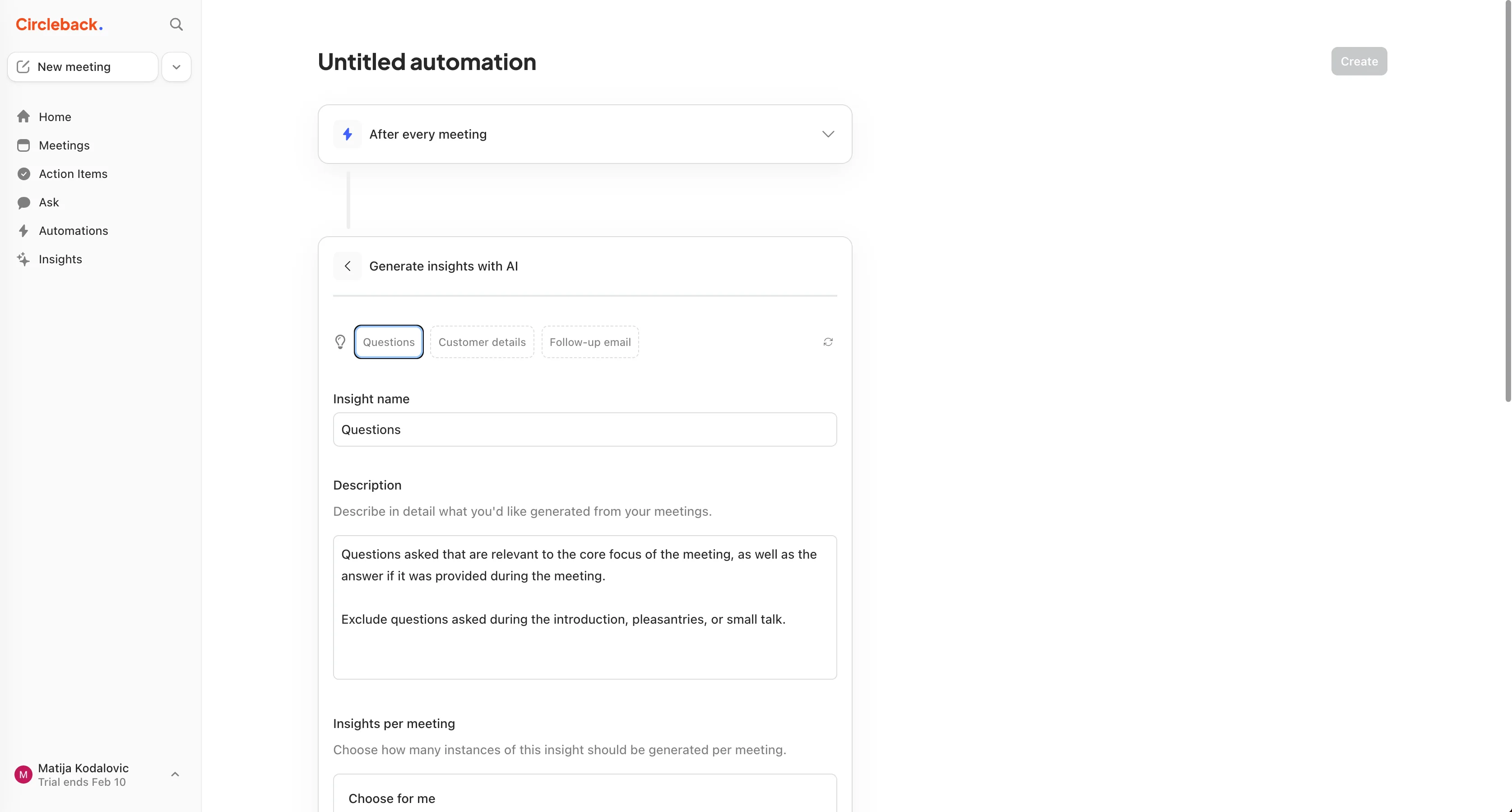
I should point out that Circleback AI does provide a Zapier-like "Automations" function. And you can use it to generate additional insights based on your meeting notes and transcripts — including customer details, additional questions, or sales notes.
For me, this feature was confusing and unnecessary. This is the kind of stuff I want generated with my AI notes automatically. It shouldn't be a separate "automation" that I have to set up manually with a trigger-based system.
TL;DR
- Circleback AI feels overpriced for what it delivers, since the output stays generic and light on useful detail. It doesn't offer customizable meeting-note templates, so you cannot easily match notes to sales frameworks, interviews, or team formats.
- The top recommended alternatives are Bluedot, Fireflies AI, Fathom, and tl;dv.
- Bluedot is the best Circleback AI alternative due to straightforward usability plus strong basics: customizable templates, bot-free browser recording via Chrome extension, privacy-first sharing, and CRM integrations.
- Fireflies is strong for conversation analytics (sentiment, talk-time, silence) and templates, but has bot and auto-sharing concerns, plus credit-based pricing.
- Fathom is attractive for casual users due to a “Free Forever” plan with unlimited recording and transcription, but it relies on a bot and reserves advanced features for paid tiers.
- tl;dv is best for clips and highlights and includes a free plan, but still needs a bot for many Zoom/Teams recordings.
What Are the Top Alternatives to Circleback AI?
My top 4 Circleback AI alternatives are:
- Bluedot
- Fireflies.ai
- Fathom
- tl;dv
As you know, I spend a lot of time testing real-time AI assistants — and none of them are perfect. So, you'll have to make some trade-offs no matter what you choose.
To help you pick the best one for your needs, I've gone into the details on each AI meeting assistant below.
#1. Bluedot — Best Circleback AI Alternative Overall
Bluedot is a popular AI meeting assistant with all the key features you'd expect — unlimited meeting recordings, high transcription accuracy, and workflow integration with productivity tools and CRMs.
Why do I like it so much? While most of the other tools I've reviewed here also improve on Circleback AI's flaws, Bluedot manages to do so while retaining one of Circleback's main upsides: simplicity.
Most other AI note-taking tools shower you with supposed "advanced" features you'll never actually use, just as an excuse to jack up the price. They present themselves as "revenue intelligence platforms" while in reality, they fail on the fundamentals.
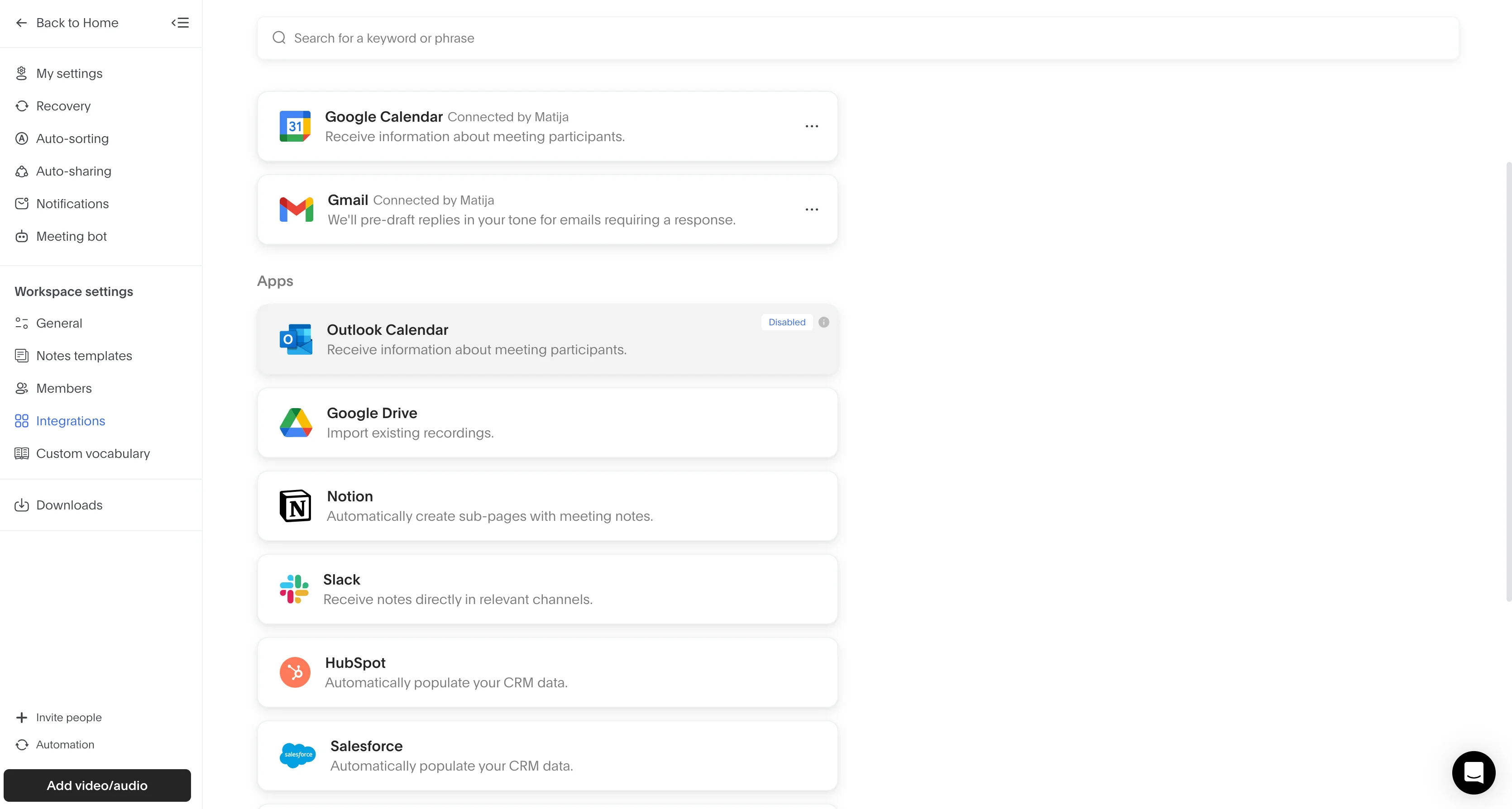
Bluedot provides meeting notes you can actually use, meeting transcripts that actually work, and integrations you actually need — like sharing transcripts and notes to Salesforce and HubSpot.
Bluedot vs. Circleback AI — Key Features Compared
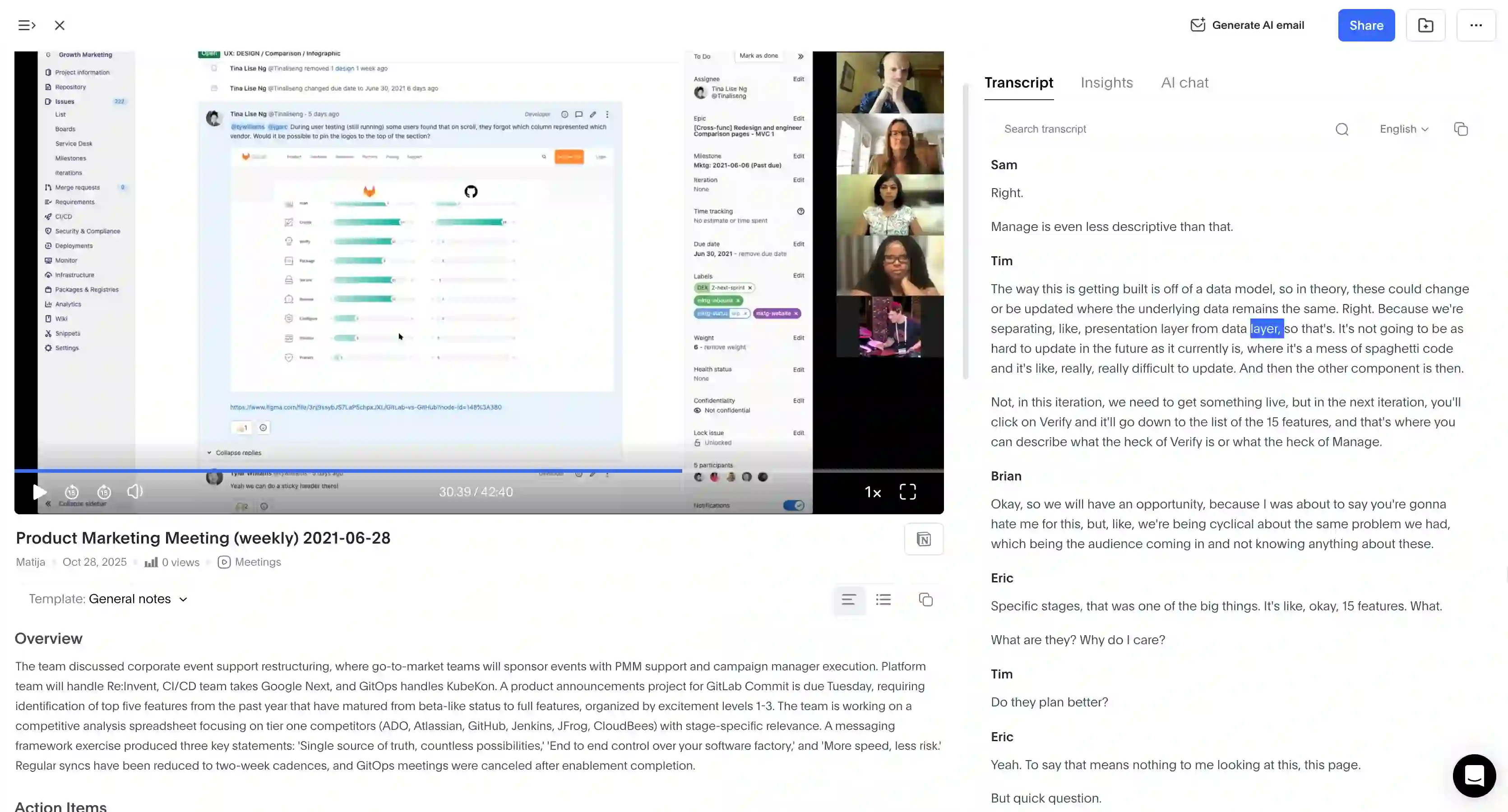
Circleback AI: While Circleback has "custom insights" where you can define specific questions for the AI to answer, its default output is a generic set of notes, action items, and transcriptions.
Bluedot excels here by offering customizable AI meeting templates. You can use pre-made templates tailored for specific scenarios — such as sales discovery calls, HR interviews, or team syncs — or customize your own to extract specific data points.
I'm not a sales guy myself, but I've seen them use Bluedot to automatically get notes that fit specific sales frameworks, like MEDDIC or BANT. That frees up your sales teams to focus on actually closing, instead of fiddling with meeting notes.
Also, Circleback requires you to install the desktop app to record meetings without a bot. Bluedot lets you record bot-free via a Chrome extension — both audio and video, discreetly from your browser.
Bluedot also offers a free plan, though it is relatively restrictive. It allows for 5 meetings per lifetime with a maximum duration of 1 hour per recording. While not "unlimited free," it lets you test the platform's features (including the Chrome extension and Slack integration) without a credit card commitment or time-limited trial.
Bluedot Pricing — Paid and Free Plans Explained
Here's how much each Bluedot subscription costs:
Bluedot Pros and Cons
#2. Fireflies AI — Great for Conversation Analytics
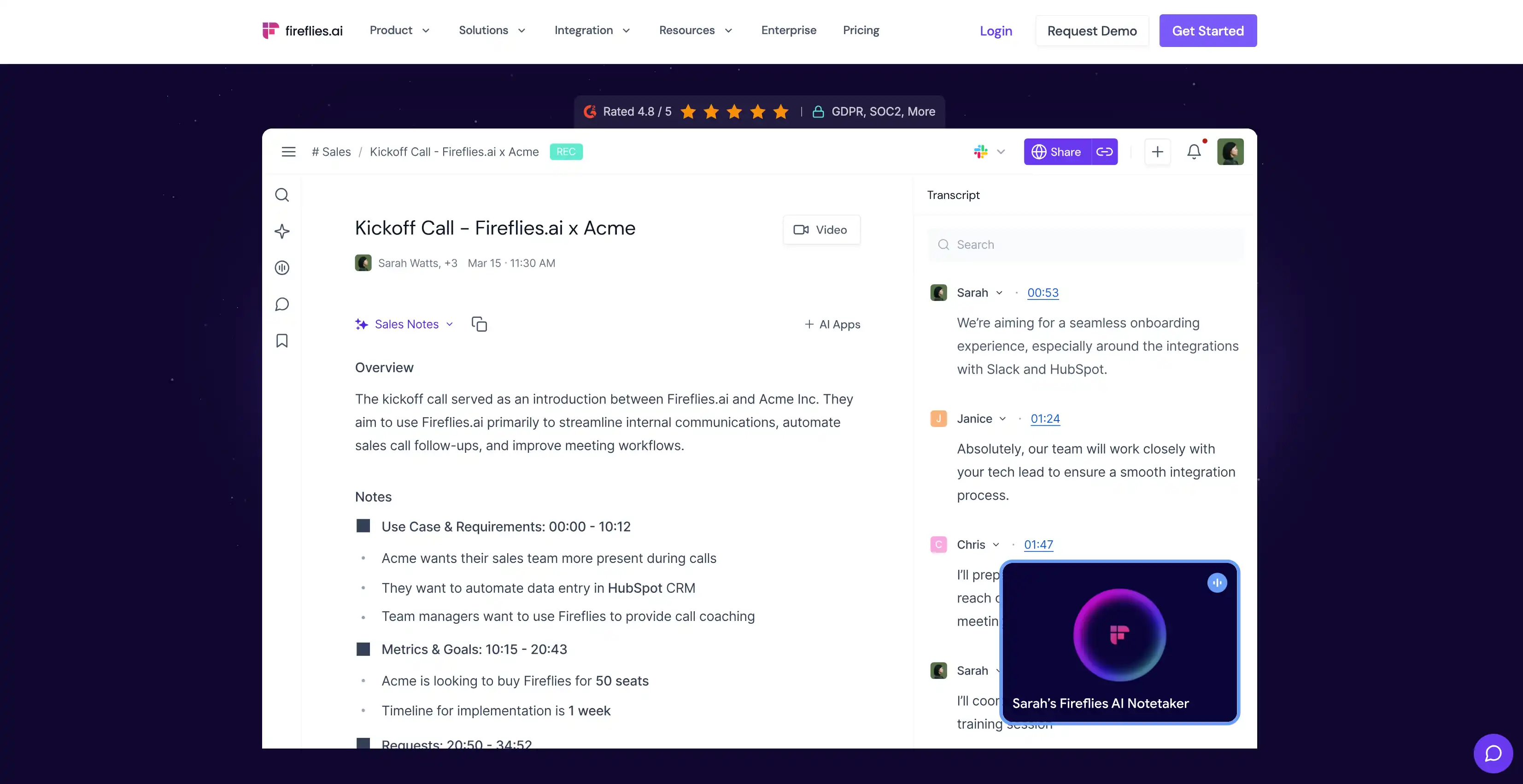
Fireflies.ai is another AI meeting assistant that can record, transcribe, and summarize online and in-person conversations.
For me, it's a viable alternative to Circleback AI because it provides better note templates and more meeting intelligence features — especially for global teams.
However, it doesn't outrank Bluedot on my list because Fireflies shares some of the same privacy and bot-related annoyances that bugged me in Circleback.
Fireflies vs. Circleback — AI Meeting Assistants Compared
As I noted, Circleback AI mostly offers generic notes, though recent updates allow for some "custom insights" via questions you define. On the other hand, Fireflies offers robust customizable templates through its "AI Apps."
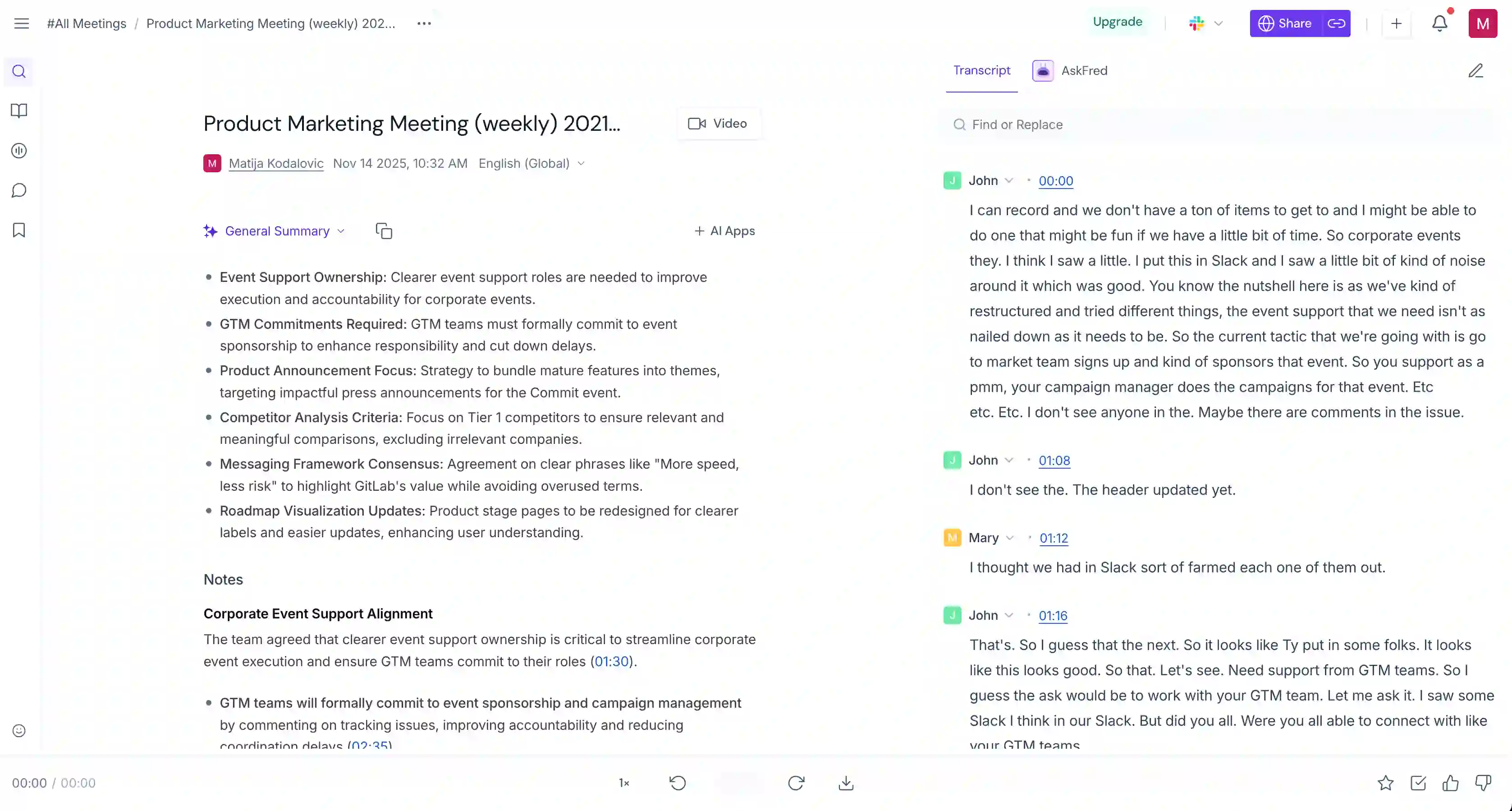
These include pre-built templates for specific frameworks like MEDDIC, BANT, and 1:1 interviews. Plus, you can create custom summary prompt templates to extract exactly the data you need.
While Circleback AI lacks deep analytics, Fireflies provides advanced conversation intelligence (on paid plans).
This includes sentiment analysis speaker talk-time ratios, and silence duration. I like how the sentiment analysis works in practice — it filters positive, negative, and neutral speech, and you can quickly see objections or key moments. I imagine this is really useful for sales coaching and candidate evaluation.
In terms of its free plan, this platform does marginally better than Fireflies alternatives like Circleback. There's a "Free Forever" plan, but with severe limits. You only get 800 minutes of storage per user, along with limited AI summaries. So, you can't use it indefinitely — but you can try out core features without entering your credit card info.
Of course, Fireflies isn't perfect. And the reason why I didn't rank it in the first place is its limited bot-free recording. If you want to record meetings in your browser, you get a Chrome extension that can capture Google Meet calls — but you'll have to put up with a bot on Microsoft Teams and Zoom.
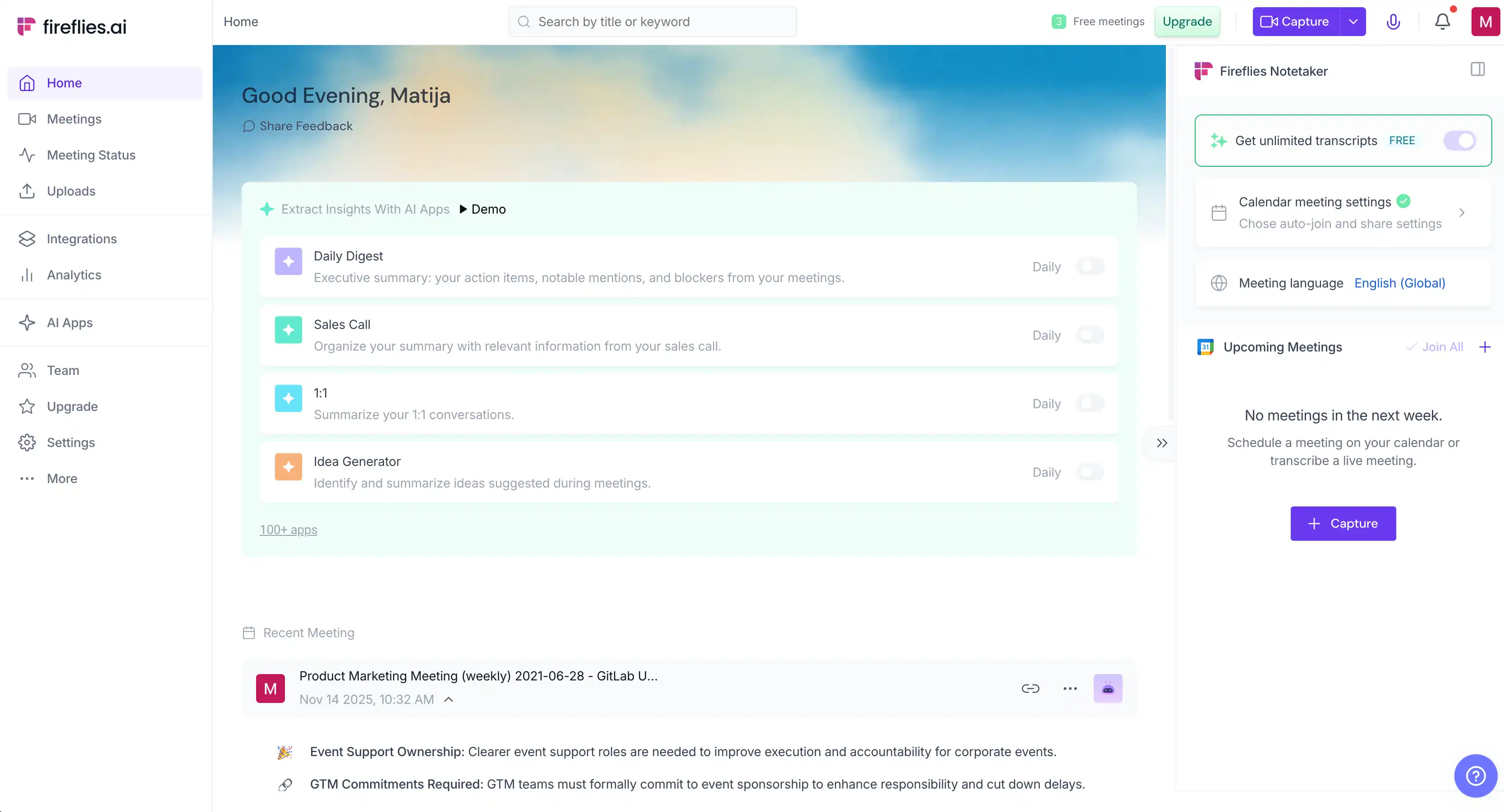
Also, Fireflies is notorious for aggressive auto-sharing. By default, it sends meeting summaries to all participants (including external clients). Plus, they're prompted to sign up to view the notes. Users have described its growth tactics as "virus-like" because it spreads by emailing everyone on the invite list. You can turn this off in settings, but it requires manual configuration, just like Circleback.
In my experience, the Fireflies AI bot keeps joining meetings even after you cancel your subscription. You need to manually revoke its access to your Google Calendar, which is fiddly and annoying.
Fireflies AI Pricing Explained
Unfortunately, Fireflies AI uses a complicated credit system for advanced AI features (like "AskFred" or custom summaries). These credits are limited per plan, and additional credits cost extra. So, Fireflies AI isn't the most cost-effective option on my list.
Fireflies AI Pros and Cons
#3. Fathom — Great for Casual Free Users
Fathom is my third choice when it comes to Circleback alternatives, because it's a better choice in terms of pricing, meeting intelligence, and templates.
Like most AI meeting assistants, Fathom can record, transcribe, and generate meeting notes on popular meeting platforms. My main reason for not ranking it higher is that it doesn't support bot-free recording — so you'll have to put up with a bot joining your calls.
Fathom vs. Circleback AI — AI Note Takers Compared
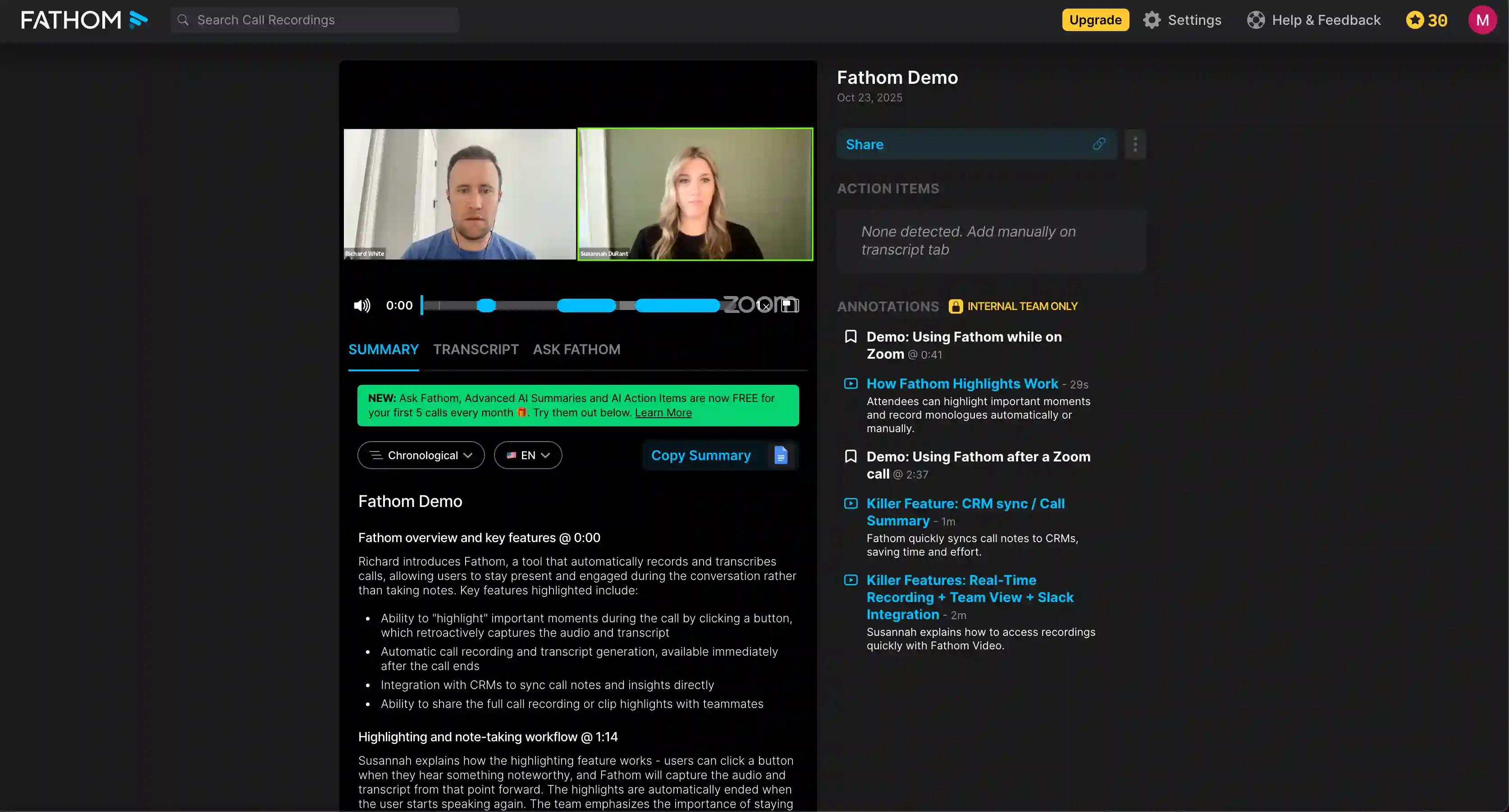
For casual users who are trying out AI note takers for the first time, Fathom's strongest advantage over Circleback is its "Free Forever" plan. It includes unlimited recording and transcription, unlike Circleback’s 7-day trial.
Of course, the free plan doesn't include the major features you get with Fathom's paid plans — including advanced AI summaries, actionable insights, automated follow-up emails, and coaching metrics for sales professionals.
If you pay for a Fathom subscription, however, you get the meeting intelligence that's woefully missing in Circleback. Fathom provides an AI scorecard to evaluate meeting contributions, and it can generate summaries based on specific sales methodologies (like BANT or MEDDIC).
This makes it much more suitable for reviewing sales performance than Circleback's generic summaries. Fathom's summaries also organize information into actionable categories (e.g., pain points, next steps).
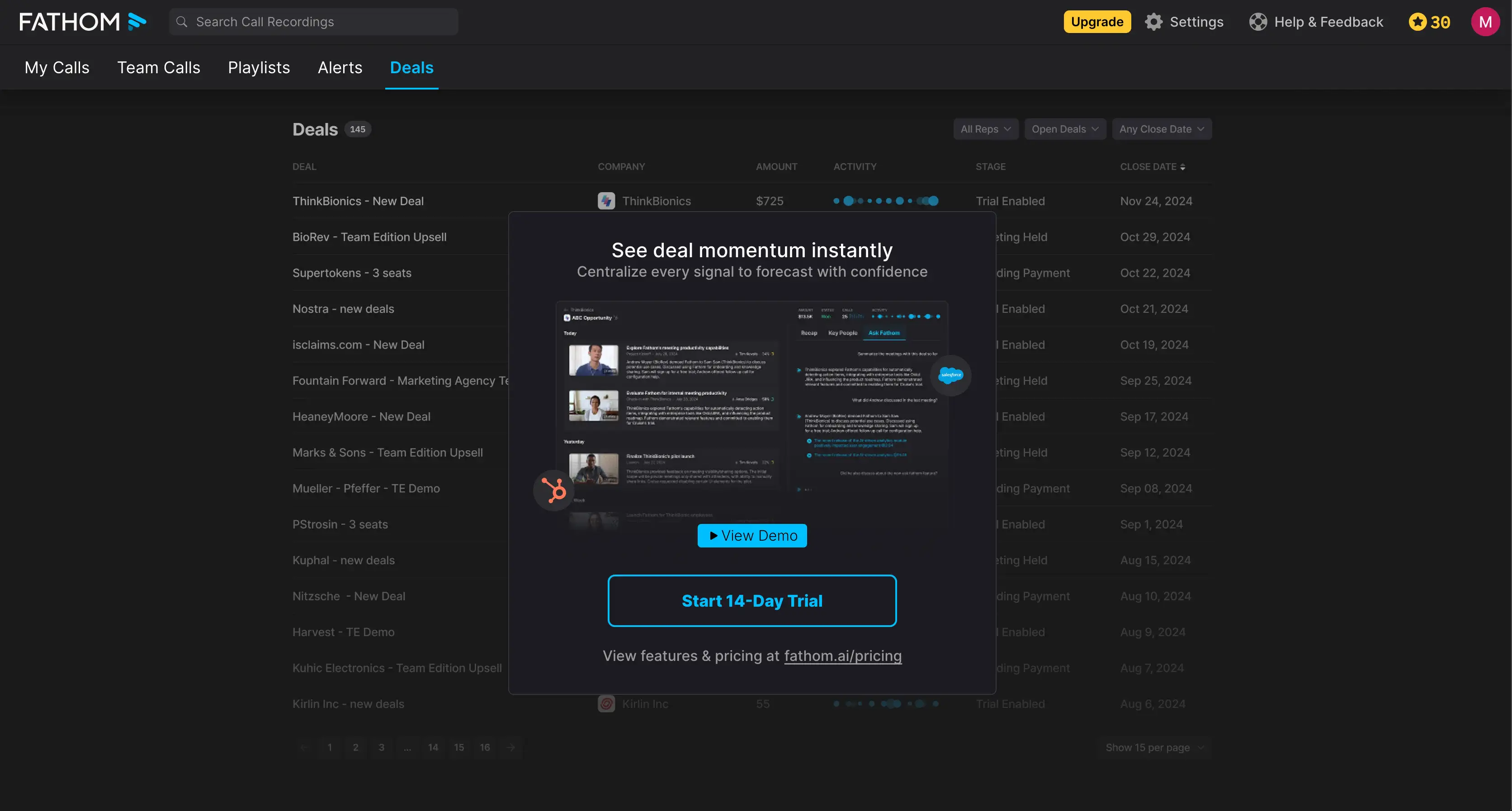
Unlike many Fathom alternatives, this platform has its own "Deals" screen, where you can see info about your sales pipeline based on conversations with leads. While sales reps might find this useful, I think most of them just end up exporting call transcriptions and notes to Salesforce and HubSpot.
Ultimately, I appreciate that Fathom isn't as spammy and aggressive as, for example, Fireflies and Otter AI. However, it's far from my top choice because it doesn't support bot-free recording.
Fathom Pricing Explained
Here's a breakdown of the various Fathom subscriptions:
Fathom Pros and Cons
#4. tl;dv — Great for Clips and Highlights
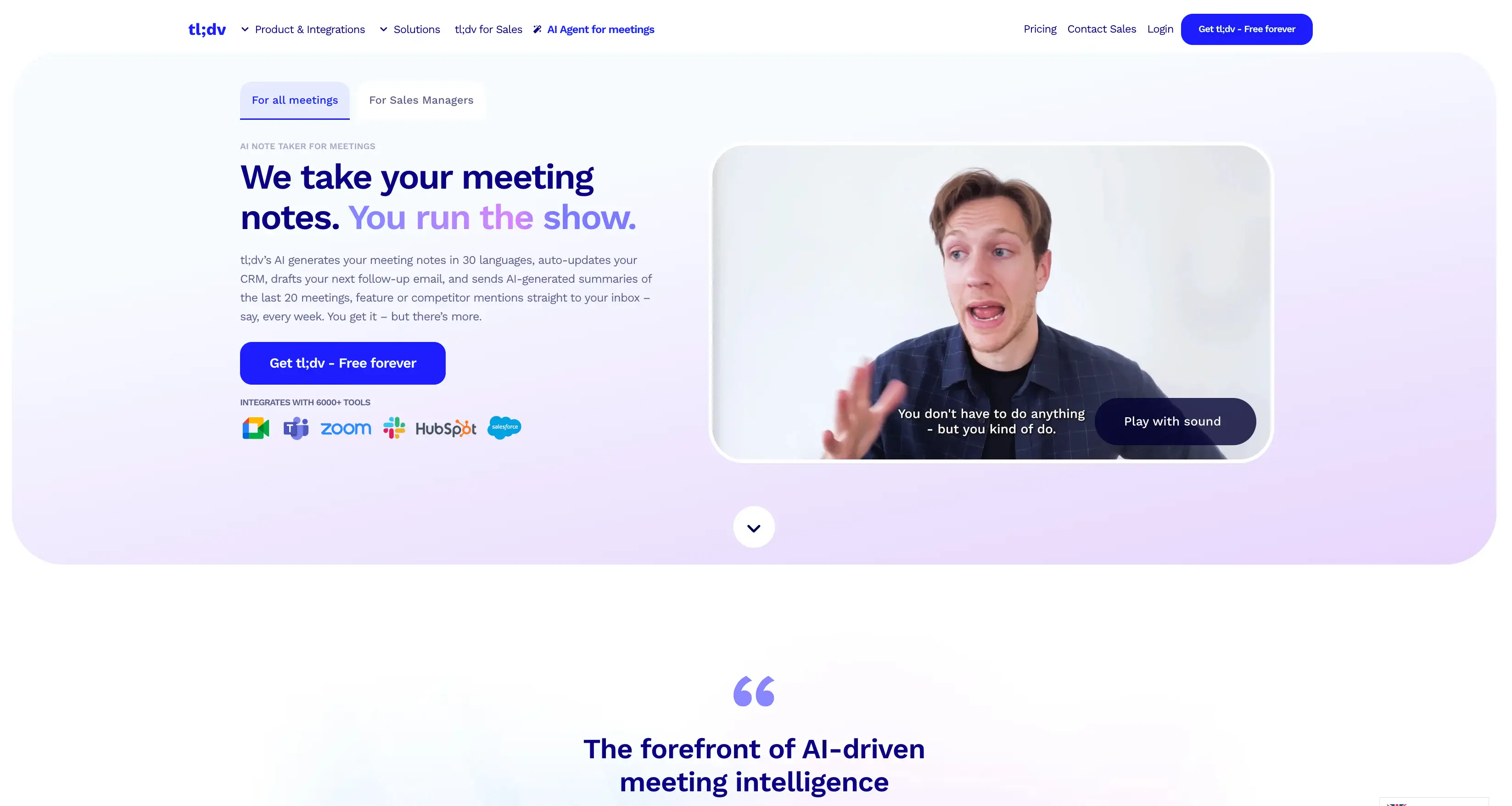
tl;dv is another AI-powered meeting recorder and transcription tool that helps you capture, summarize, and share insights from video calls. The name is a play on the common internet acronym "TL;DR" (Too Long; Didn't Read), but stands for "Too Long; Didn't View."
For me, tl;dv's main standout feature is its highlights. You can easily clip specific moments during a live call and share them with colleagues later, rather than explaining what happened during the conversation. Other tools have similar features, but I like how tl;dv does it — the clipping function works via timestamps, and it's not fiddly to use.
tl;dv vs. Circleback AI — AI Note Taking Features Compared
For me, tl;dv isn't the top alternative to Circleback AI, but it's better in terms of pricing, privacy, and meeting intelligence.
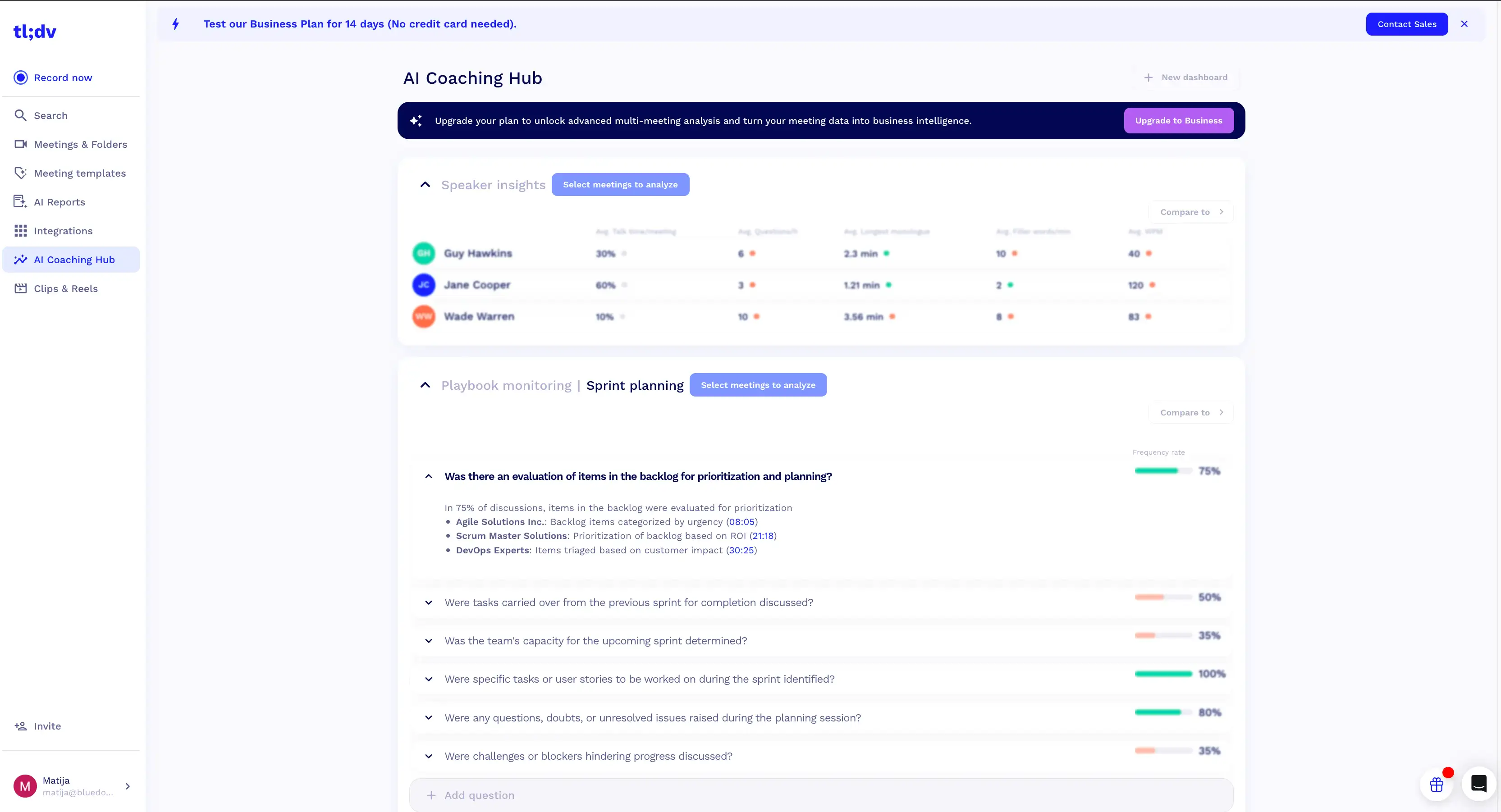
While Circleback AI only offers generic notes (and fiddly custom insights), tl;dv offers more conversation analytics out of the box. On the Business plan, you get Sales Playbook Monitoring and AI Coaching, allowing you to track specific frameworks and your reps' objection handling. It also creates AI Multi-Meeting Reports to spot trends across calls.
Unlike Circleback, tl;dv also offers a free plan — for which you don't have to enter your credit card information. Also, tl;dv doesn't have the reputation of Fireflies or Otter when it comes to aggressive auto-sharing of meeting notes, or forced sign-ups to view transcriptions.
However, tl;dv has one major drawback that results in its low ranking on my list — a lack of universal bot-free recording. While you can capture audio via a Chrome extension, it only works with Google Meet — you need a bot to record video and audio on Zoom and Microsoft Teams.
tl;dv Pricing Explained
Here's a quick overview of tl;dv's pricing plans:
tl;dv Pros & Cons
Final Verdict — What's the Best Circleback AI Alternative?
Ultimately, Bluedot is my top Circleback AI alternative.
It doesn't have any of Circleback's fundamental flaws, while retaining its best quality: simplicity. Instead of trying to be your CRM replacement or your next revenue intelligence platform, Bluedot focuses on what it does best — AI note-taking and transcription accuracy.
With Bluedot, you get:
- Customizable Meeting Templates: While Circleback provides generic notes, Bluedot allows you to use pre-made or custom templates tailored to specific scenarios (like HR interviews or sales discovery calls) and frameworks (like MEDDIC or BANT).
- Bot-Free Recording via Browser: Bluedot allows you to record both audio and video discreetly directly through a Chrome extension, without a bot joining the call.
- More Privacy: Unlike Circleback, which automatically shares notes with everyone on the invite list by default, Bluedot keeps transcripts private and does not spam external contacts with emails.
- Accessible Free Plan: Circleback forces you to enter credit card info for a 7-day trial. Bluedot offers a free plan (limited to 5 lifetime meetings) that allows you to test the platform without a credit card.
- CRM Integrations: It focuses on integrations users "actually need," such as syncing transcripts and notes to Salesforce and HubSpot.
Frequently Asked Questions
Now that you know all about my favorite alternatives to Circleback AI, here are a few quick answers to similar questions about other AI tools.
What is the alternative to Magic AI?
The best alternative to Magic AI (often known as Magical) is Text Blaze. It is a top choice for people who want to automate repetitive typing. You can use it to create text snippets and shortcuts that work in any browser. Other strong options include TextExpander for team collaboration and Zapier for connecting different apps. If you want a free and open-source tool, Espanso is a great pick.
What is the alternative to Read AI?
The most popular alternative to Read AI is Bluedot. It records meetings and provides accurate transcripts in real time. Fireflies.ai is another great choice if you need deep search and analysis for your video calls. For users who want a simple and free option, Fathom is very easy to use. If you need a tool built specifically for mobile devices, Speakwise is a leading alternative for iPhone users.
What is the alternative to Flow AI?
The top alternative to Flow AI for building chatbots is Voiceflow. It features a simple drag-and-drop interface that helps you design conversational flows without coding. Botpress and Landbot are also excellent choices for creating interactive web assistants. If you need a more advanced platform for enterprise use, Mistral AI or Google Vertex AI provide powerful tools to build and scale custom models.
What is the alternative to Drippi AI?
The leading alternative to Drippi AI for Twitter automation is Hypefury. It helps you schedule tweets and grow your audience effectively. Tweetmonk is another strong option that focuses on creating threads and managing engagement. For those looking for an all-in-one social media tool, Predis.ai offers AI-generated content and competitor analysis. You can also try TweetStorm.ai if you need help generating hashtags and trending content.